Accessories · Jewelry
AI jewelry photography: necklaces, earrings and rings worn, without a photoshoot
AI jewelry photography turns one photo of a piece of jewelry into a photo of it being worn. Upload the piece, say whether it is a necklace, bracelet, earrings or a ring, pick the pose and the model, and you get either a styled portrait or a macro close-up — pendants, chains, chokers, studs, hoops, drops, bangles, cuffs, bands, solitaires and stacks all run through the same steps.
The Tryly Studio · Jewelry guide
As low as $0.25 per photo
10 free photos, no card. From $0.33 per day. Photos as low as $0.25 each.
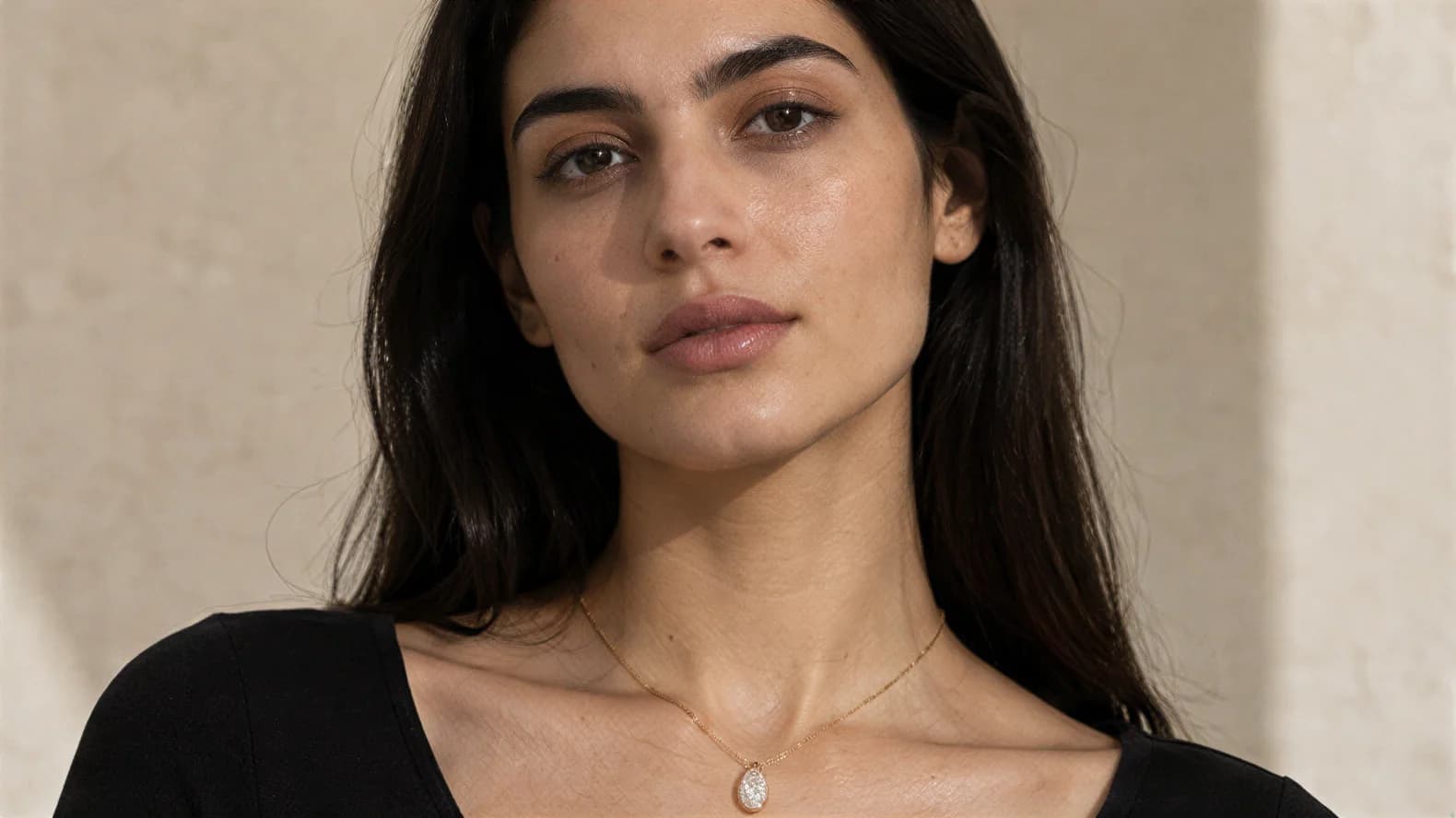
Front portrait
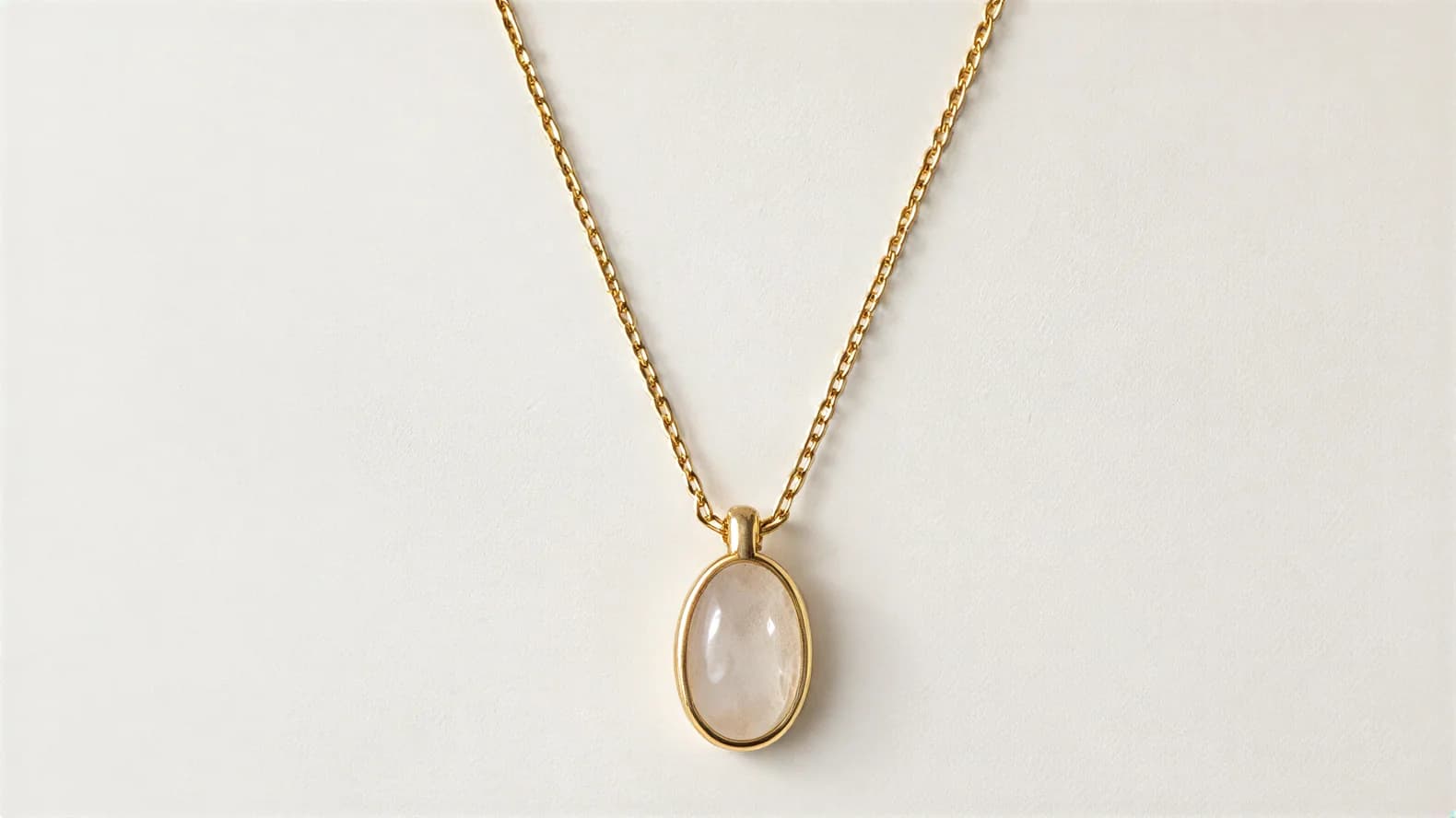
Source photo
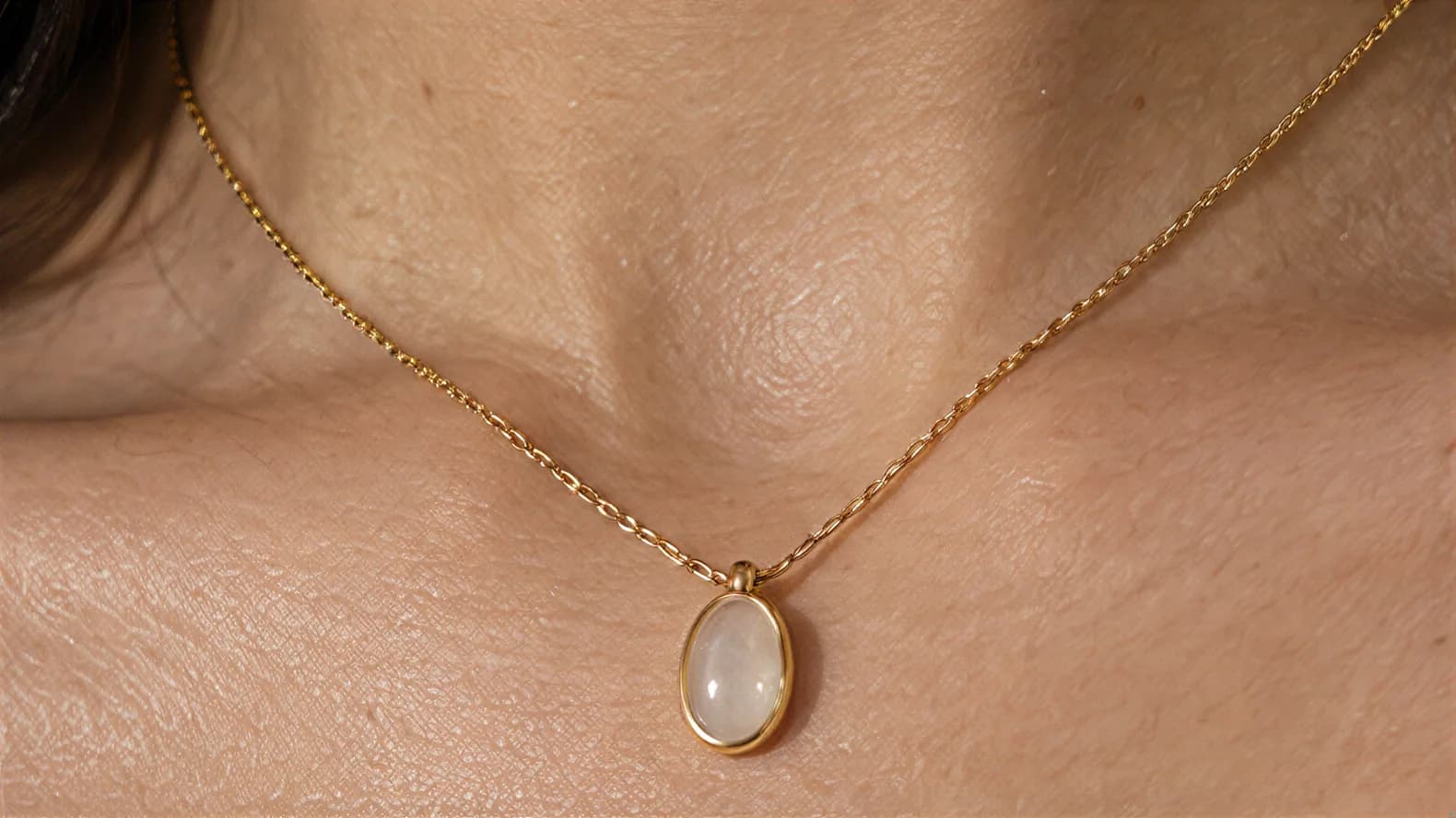
Chest close-up
What sellers ask
How do I get jewelry photos on a model without booking one?
You only photograph the piece itself: one sharp phone photo in daylight on a plain surface, filling as much of the frame as you can. Upload it, say whether it is a necklace, bracelet, earrings or a ring, and pick one of the poses built for that piece, then a model from 500+, or your own model or yourself. Every pose shows the piece worn, from a styled portrait to a close-up with the face out of shot, and one credit is one photo. Rings and earrings carry an “Experimental · Details may differ” badge in the app, so try your own pieces on the 10 free photos first, no card needed.
The range
What you can shoot
Necklaces, pendants, chains, chokers, earrings, bracelets, bangles, cuffs and rings. After the upload you tell the app which of the four types it is, and the poses change to match.
Jewelry mode asks one question the other modes do not: what kind of piece is this? The four cards are Necklace (pendants, chains and chokers), Bracelet (bangles, cuffs and chains), Earrings (studs, hoops and drops) and Ring (bands, solitaires and stacks). The answer decides which poses you are offered, because a pose that suits a pendant is useless for a stud.
Necklaces get a smiling front portrait, a side close-up that shows chain length and pendant position, and a chest close-up where the pendant is the whole picture. Bracelets get a hand raised to the face, a relaxed seated shot with the hand on the lap, and a macro shot of the wrist. Earrings get a three-quarter portrait with the hair pulled back, a downward-gaze profile, and an ear close-up. Rings get a hand to the face, hands clasped, hands resting on a lap, and a finger close-up for the stone setting. Thirteen poses in all.
One run makes one photo and costs one credit, so a listing with the portrait that sells the piece and the close-up that shows the detail is two runs and two credits.
01
Necklaces
Front portrait, side close-up, or a chest close-up against the collarbone.
02
Pendants
The chest close-up exists for exactly this: the pendant as the focal point.
03
Chains
The side close-up shows chain length and how it sits, which a flat shot hides.
04
Chokers
Photographed high on the neck, where placement is what buyers want to see.
05
Earrings
Three-quarter portrait with hair back, a downward gaze, or an ear close-up.
06
Bracelets
Hand raised to the face, resting on a lap, or a macro shot on the wrist.
07
Rings
Hand to the face, hands clasped, hands on a lap, or a finger close-up.
The method
How it works
Upload the jewelry photo, say what kind of piece it is, choose a pose, choose a model, choose a background, review, then generate and download.
- 01
Upload your jewelry photo.
One photo of the piece on a plain surface. Fill the frame with it — jewelry is small, and the more pixels the piece occupies, the more detail the generator has to work from.
- 02
Say what the piece is.
Four cards appear under the upload: Necklace, Bracelet, Earrings and Ring. Rings and earrings carry an Experimental · Details may differ badge, and you tick a box confirming you understand that before you can generate.
- 03
Choose the pose.
You get the poses built for that piece — the portrait, the profile and the macro close-up. One pose per run, and the preview shows you the composition before you commit.
- 04
Choose the model.
Women or men, filtered by hair colour, age, ethnicity, size and style, or your own uploaded model. Hair styling matters here: the earring poses are built around hair that is pulled back so the piece stays visible.
- 05
Choose the background, review, create.
Studio, outdoor, lifestyle and abstract backgrounds sit in tabs, and you can save your own. The review step lists the piece, the pose, the model, the background and the credit cost before anything is spent. The finished photo lands in your gallery to check and download.
The choice
On a model or on its own
Jewelry is always photographed worn — there is no product-only mode for it. The macro poses are the closest thing: the piece fills the frame and the face is out of shot.
Every jewelry pose puts the piece on a person, because being worn is what a flat photo of a necklace cannot show: where the chain falls, how a hoop hangs against the jaw, how a ring sits between the knuckles. The photo shows placement and styling; it is not a sizing reference, so list the chain length, hoop diameter or band width beside it.
When you want the piece rather than the person, use the close-ups. The chest close-up frames the pendant against skin with the face out of shot. The wrist, ear and finger close-ups do the same for bracelets, earrings and rings — skin and the piece, nothing else. In practice they behave like macro product shots, and they are the ones to run when the detail is the selling point.
If you need the piece on a plain white background with no body at all, that is still a job for a normal product photo. This mode is built for the worn shot and the macro detail, not for a cut-out.
The portfolio
How the shots are laid out
One source photo, then the piece worn and the same piece as a macro close-up.
01 Source photo
02 Front portrait
03 Chest close-up
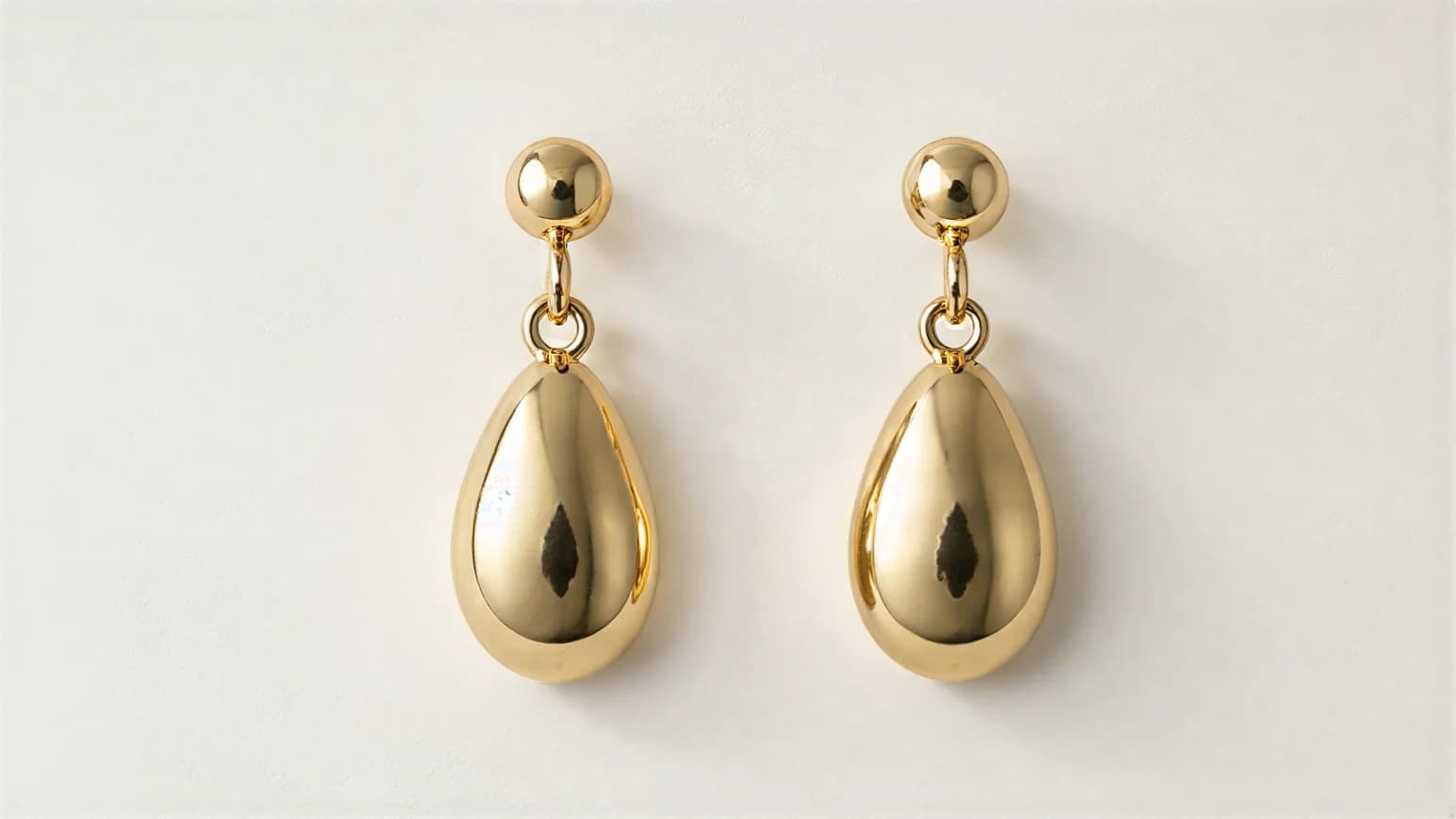
01 Source photo
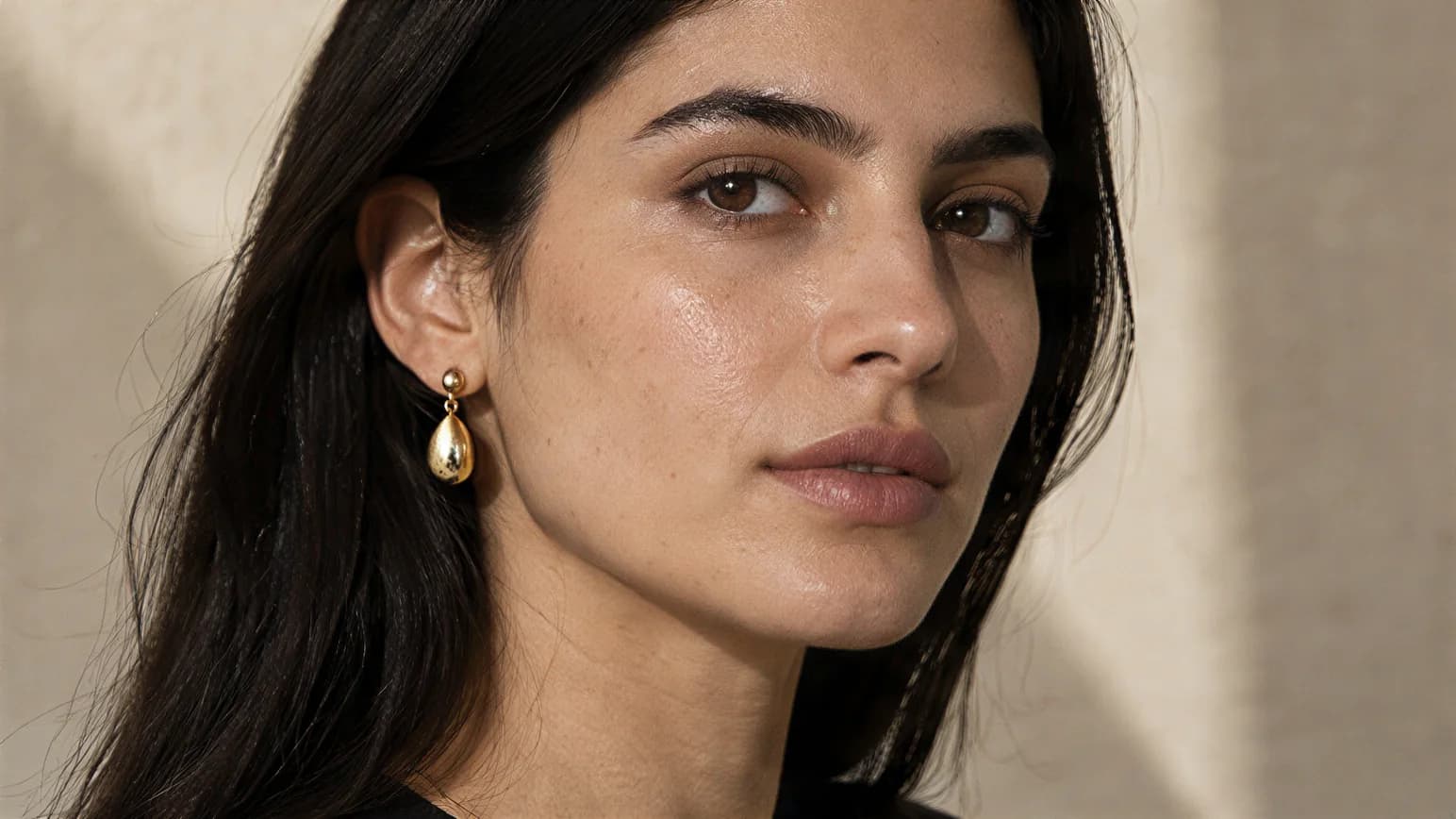
02 Three-quarter portrait
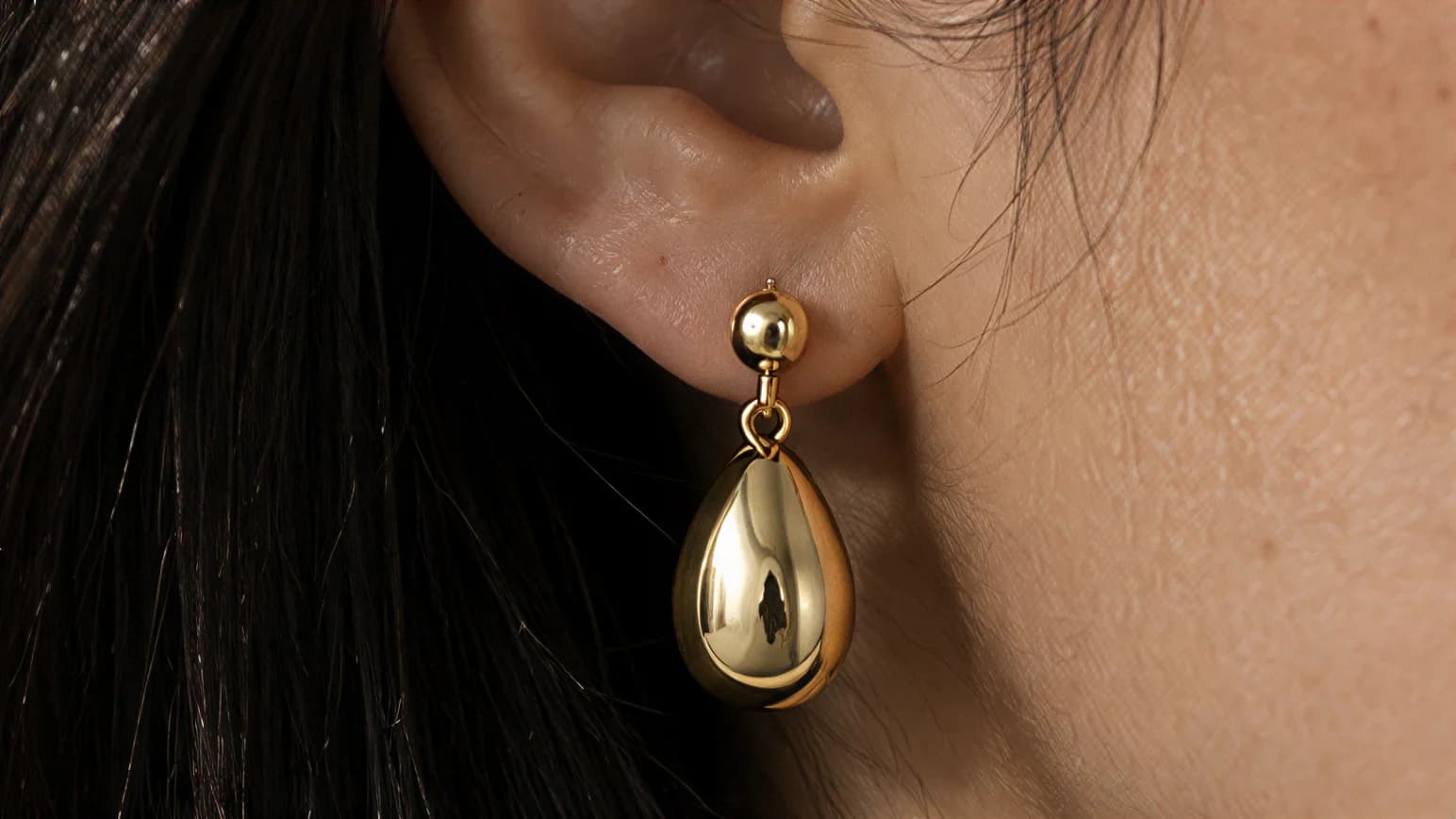
03 Ear close-up
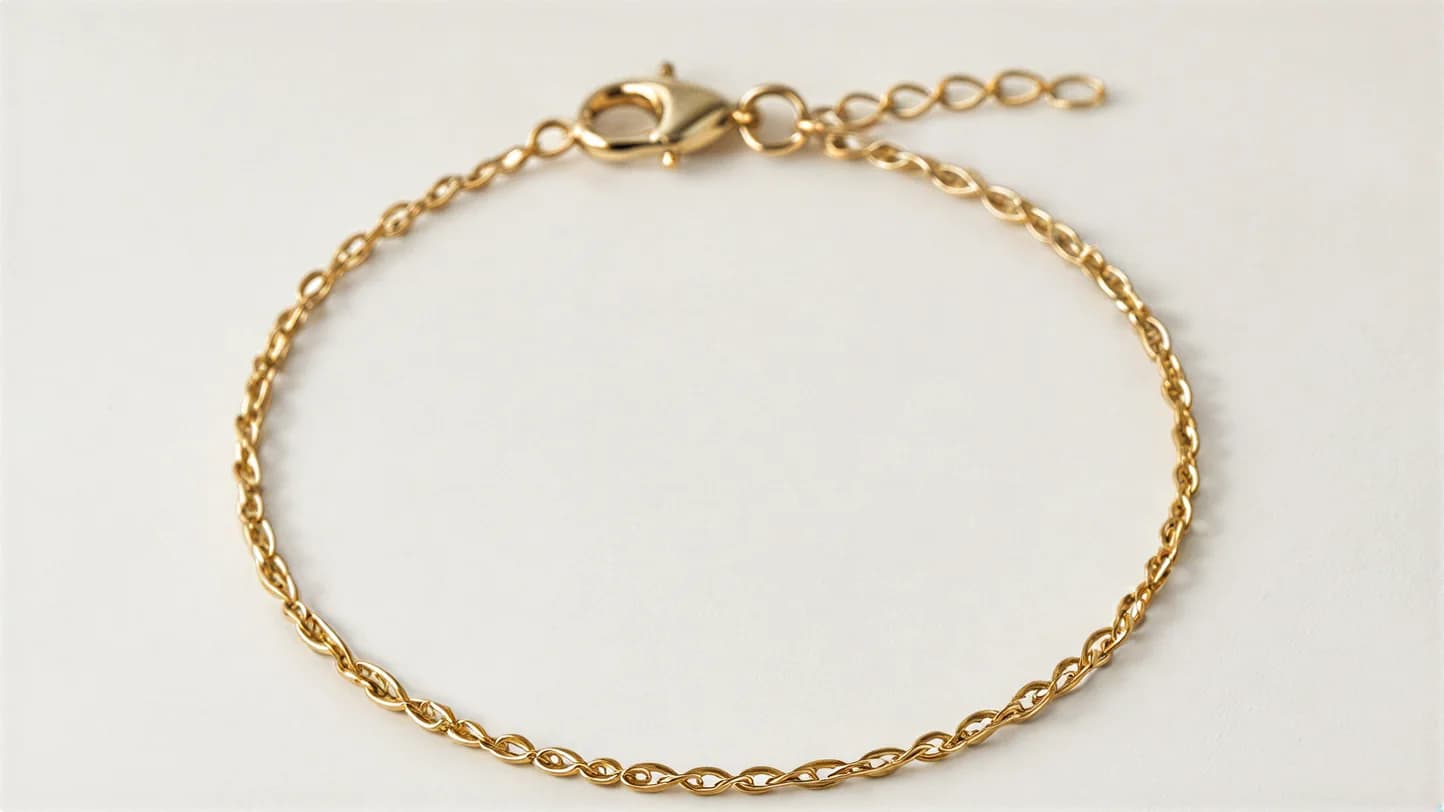
01 Source photo
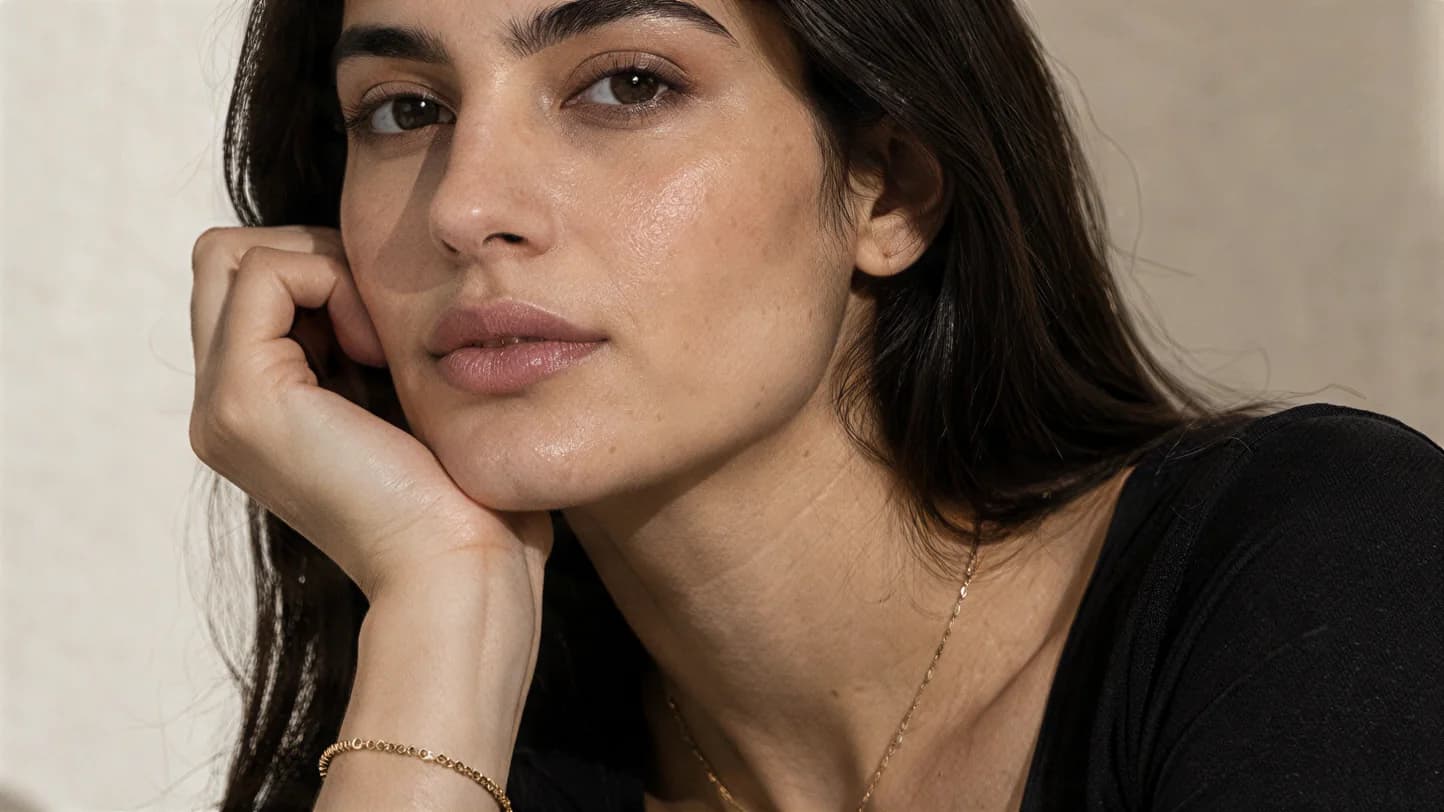
02 Hand to face
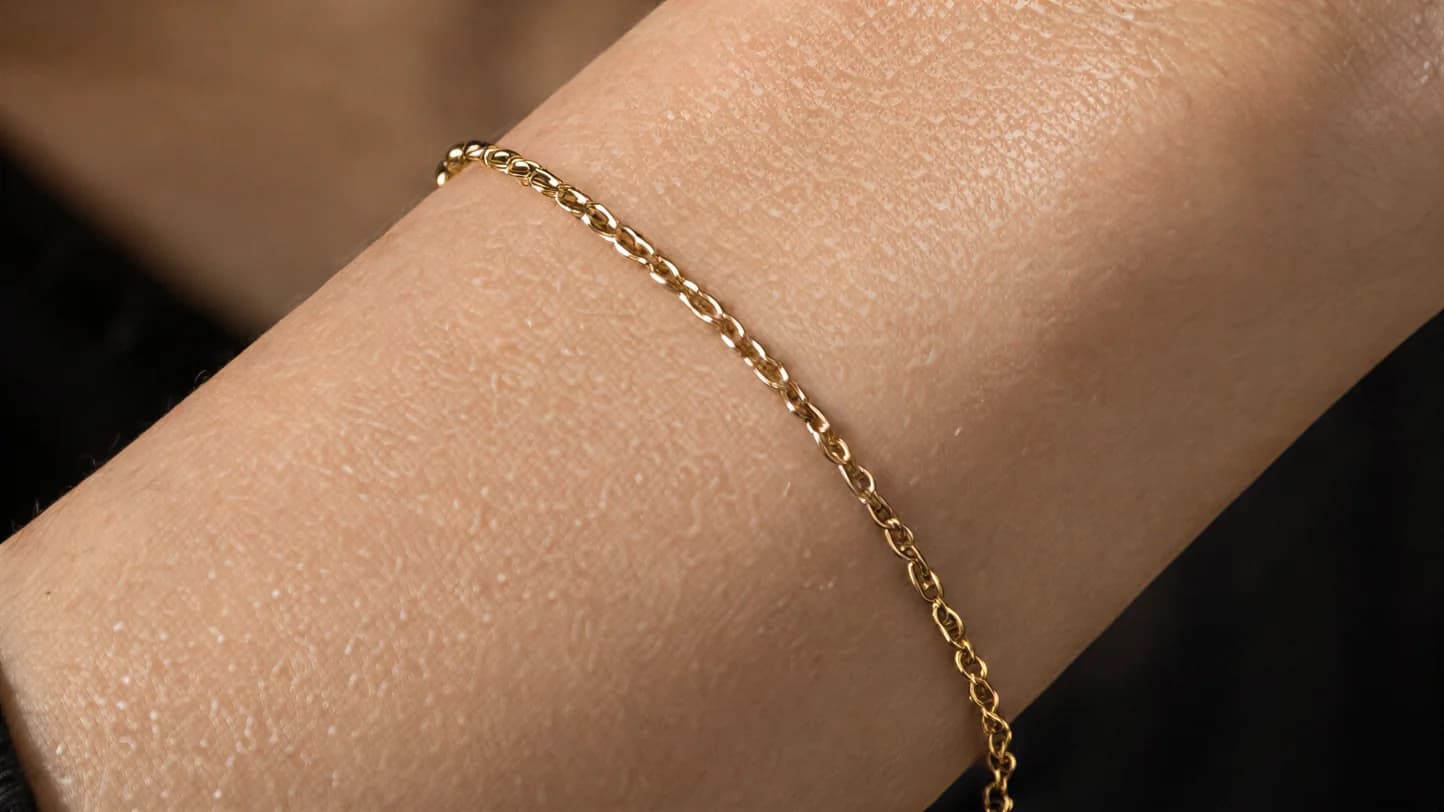
03 Wrist close-up
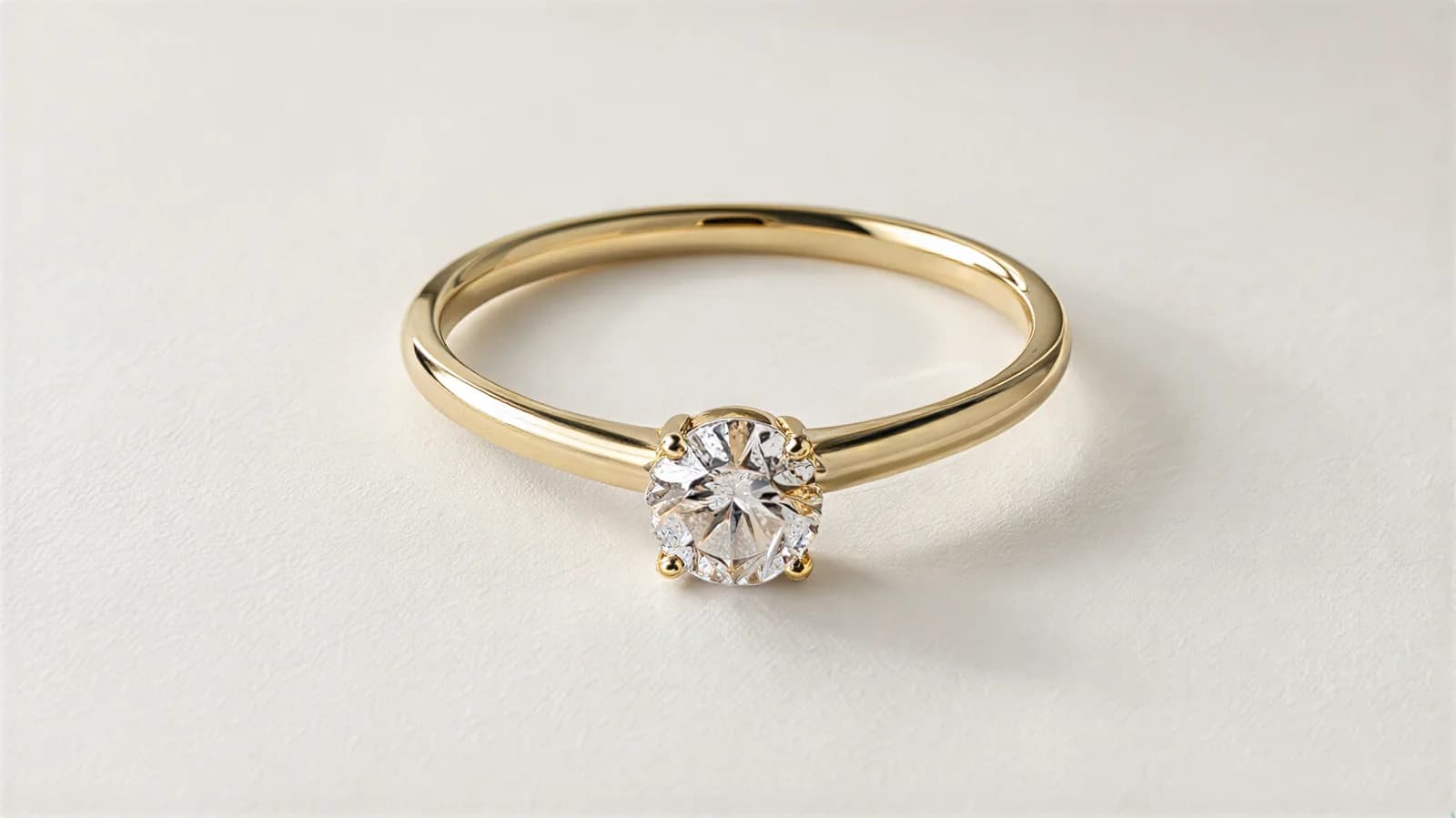
01 Source photo
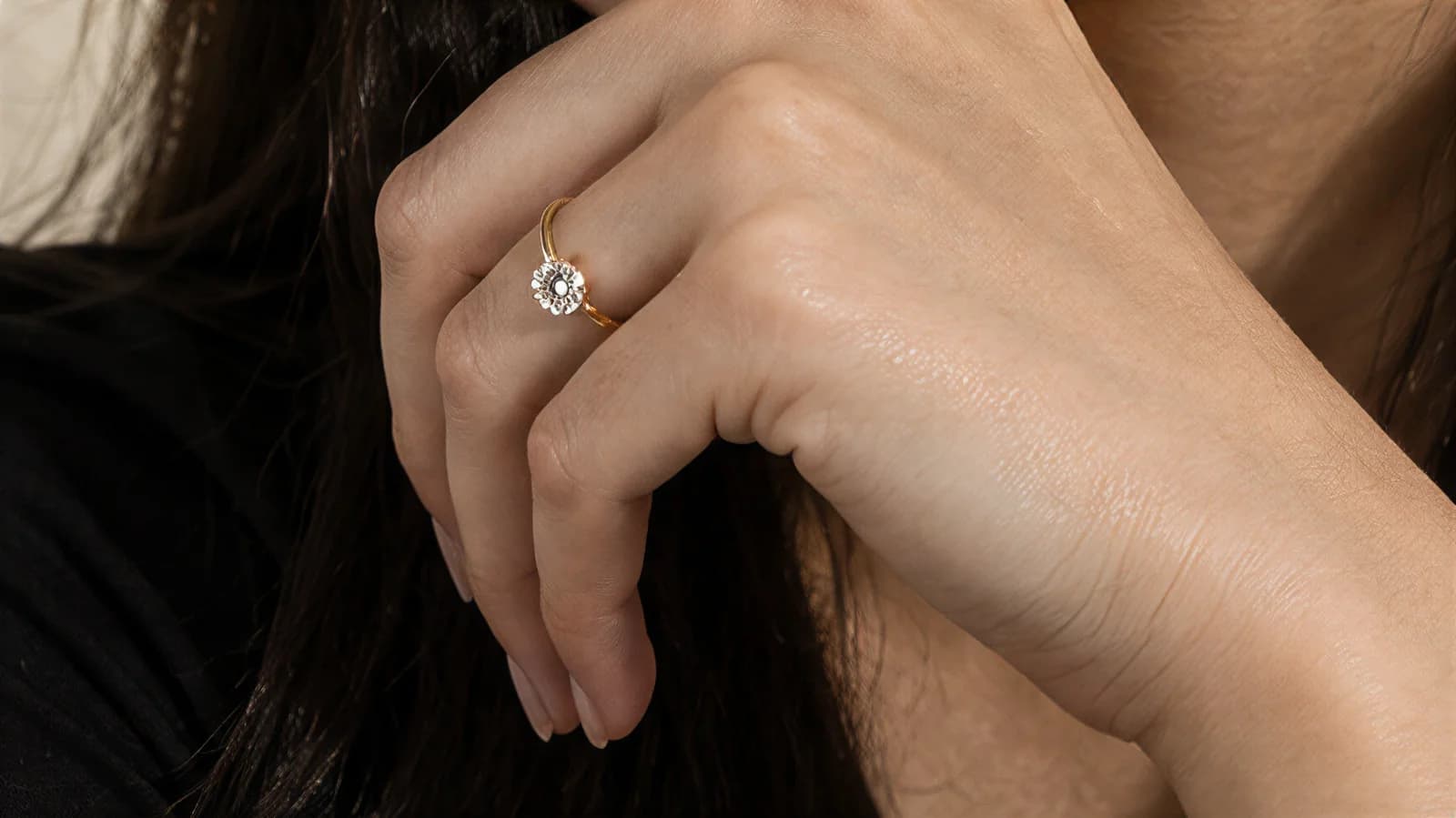
02 Finger close-up
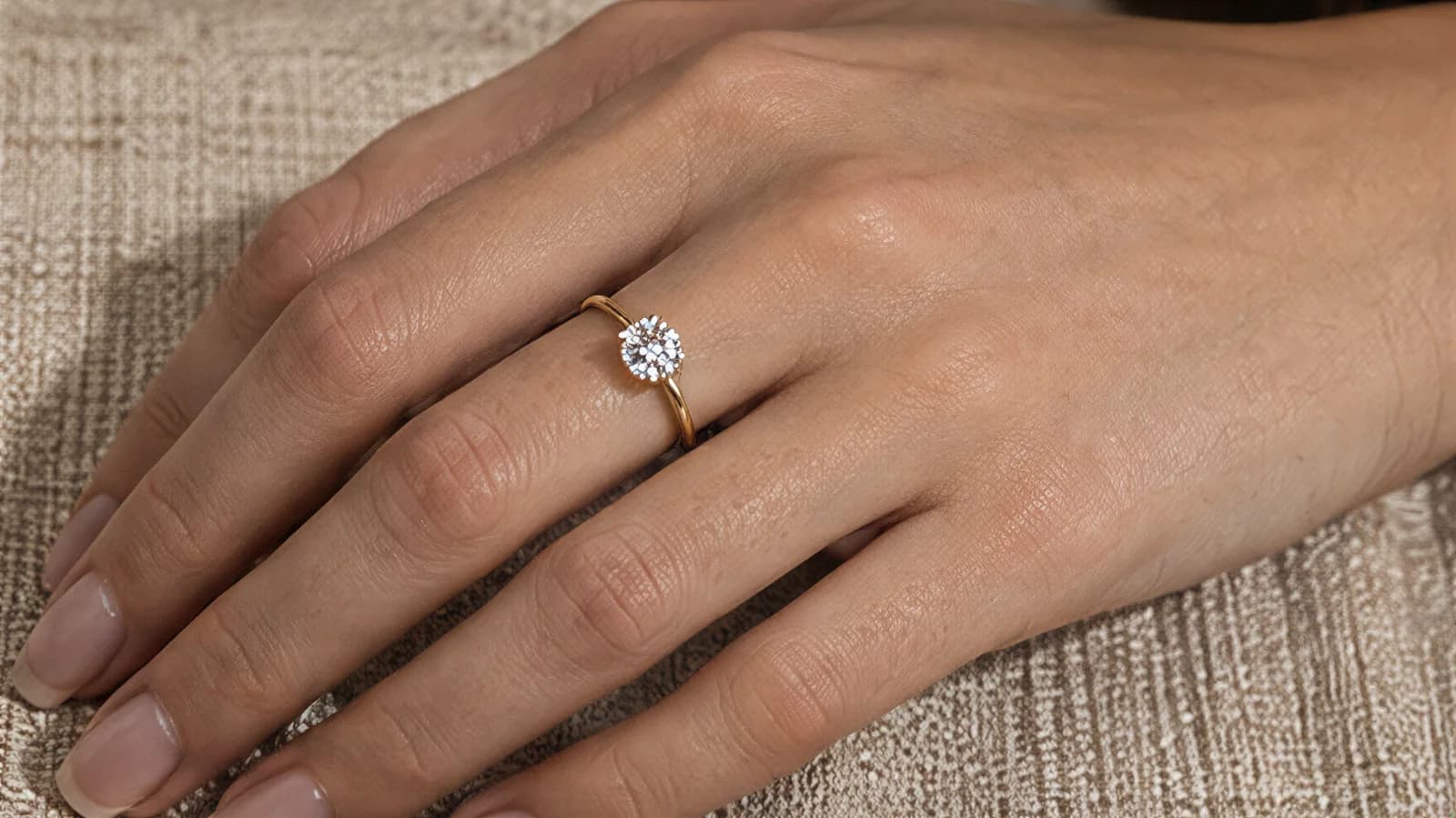
03 Hand on linen
Before you upload
What your photo needs
One sharp, well-lit photo of the piece on a plain background, filling as much of the frame as you can. A phone in daylight works, as long as the piece is in focus.
Lay the piece on a plain surface — white paper, a grey card, a clean cloth — with nothing else in shot. Uncoil a chain rather than leaving it in a pile, open a bracelet out, and put earrings side by side so both are visible. The shape the input shows is the shape the finished photo works from.
Jewelry is small, so sharpness is the input detail to get right. Get close, tap to focus, and avoid a hard flash: a blown-out highlight on a stone or a mirror-bright band leaves a flat white patch with no detail to work from.
On the file itself the requirements are loose. JPG, PNG, WebP, HEIC, HEIF and AVIF are all accepted, up to 50 MB per image. Anything under roughly 1024 pixels on its shortest edge still uploads, but you are warned that a higher-quality photo gives a better result, because detail the input never captured cannot be invented later.
A good source photo of a jewelry
What to get right before you upload — a small piece needs every pixel it can get.
- 01The piece fills the frame: get close so the stone, the links and the clasp occupy as many pixels as possible.
- 02Focus on the piece itself, not the surface under it — tap to focus.
- 03Laid out in its worn shape: chain uncoiled, bracelet opened, earrings side by side, ring upright or on a stand.
- 04A plain matte surface — white paper, grey card, a clean cloth — with nothing else in shot.
- 05Soft, even light; no hard flash and no window reflected in the metal.
- 06The details you sell visible: the setting from above, the clasp, any engraving or hallmark.
- 07No hands, bust or hair needed in the source — the piece alone is the input.
The limits
Where it struggles
Reflective metal and fine detail are the things to check. Rings and earrings are labelled experimental inside the product, and the app asks you to confirm that details and accuracy may vary before it will generate.
Polished gold and silver are mirrors. They reflect whatever is around them, so a band can come back brighter, duller or a slightly different tone than the piece you photographed, and an engraved surface can lose its engraving. Compare stone settings — the prongs, the way a cut catches light — against your original.
Fine chains next. A delicate link can thicken, merge or break up over the length of the chain, and a very thin chain against skin can partly disappear. Small stamped hallmarks and engraved names can change, so never publish one without looking at it up close.
Rings and earrings carry the warning in the product itself: an Experimental · Details may differ badge on the type card, and a checkbox you must tick — that details and accuracy may vary and that credits will be used — before the generate button unlocks. Hands and ears are the reason for the badge, so give those results the closest look.
Exact colour is not guaranteed either: rose gold can drift toward yellow, and a particular shade of turquoise can shift. Every attempt costs a credit, including the ones you throw away, so run your most detailed piece first on the free photos.
Quality control
Check before you publish
Compare the finished photo with your source photo at full size. These are the details to inspect on jewelry.
- 01Engraving, hallmarks and stamped text: read every character at full size.
- 02Stone and setting: number of stones, prong count, cut shape and how the light sits in it.
- 03Chain and links: consistent link size along the whole length, clasp present, nothing merged or broken.
- 04Metal colour against the real piece: rose gold, yellow gold and silver each drift in their own direction.
- 05Placement and contact: the pendant sits at the neckline, the earring hangs from the lobe, the ring sits on the finger — nothing floating or sunk into skin.
- 06Symmetry on pairs: both earrings match each other and the source.
- 07Scale: the photo is a styling reference, not a size reference — state the dimensions in the listing.
Open the finished photo at full size rather than judging the thumbnail. If a detail is wrong, regenerate that photo; a retry costs one credit, the same as the first attempt.
The models
Choosing the model
500+ models to pick from, or upload your own model or yourself. The model step is the same in every mode: filter the library, or add your own person once and use them for the whole catalogue.
Switch between women and men, then narrow the library by hair colour, age, ethnicity, size and style until you have the face that fits your brand. Heart the ones you keep coming back to and they sort to the front next time.
If you would rather use a real person, “Add Your Model” takes a photo of your own model — or of yourself — and your jewelry pieces are photographed on them instead. The same library powers the AI clothing model library, so clothing and accessories can share one face across a whole store.
The price
What it costs
From $0.33 per day. Photos as low as $0.25 each.
$0.25
As low as, per photo
$0.33 per day is the Starter plan billed annually — from $9.99/month for 300 photos a year. $0.25 each is the Max annual 10,000-credit pack.
10 free photos, no card.
One credit is one photo, and the review step shows the credit cost before anything is spent. Retries cost a credit too, including the attempts you throw away, which is the honest reason to run your hardest jewelry first on the free photos.
Questions
Questions jewelry sellers ask
The questions jewelry sellers ask most, answered against what the product actually does today.
Can I get a close-up of the piece without the model’s face in shot?+
Yes. Each type has a macro pose built for it: chest close-up for necklaces and pendants, wrist close-up for bracelets, ear close-up for earrings, finger close-up for rings. The piece fills the frame and the face is out of shot.
Do rings and earrings work the same way as necklaces?+
The product treats them differently. Rings and earrings are marked Experimental · Details may differ, and you tick a box confirming that details and accuracy may vary before you can generate; necklaces and bracelets carry no such badge. Whatever the type, check the finished photo at full resolution before you publish.
Will an engraving or a hallmark survive?+
Check it at full resolution. Small engraved text, stamped hallmarks and very fine detail can change, so never publish an engraved piece without opening the finished photo and reading the lettering against your original.
Does it get the metal colour right?+
Not guaranteed. Polished metal reflects its surroundings, so rose gold can drift toward yellow and a bright silver can flatten out. If the same colour has to match across a product page, check it before you publish.
Is this virtual try-on?+
No. Tryly makes the photos for your listing: you choose the pose and the model, and the piece is photographed on that model. Shoppers do not try pieces on themselves, and the photo is not a sizing tool — it shows placement and styling, so put the measurements in the listing.
What should I check before I publish a jewelry photo?+
Engraving and hallmarks at full size, the stone count and setting, link size along the whole chain, the metal colour against the real piece, and that the piece sits where it should — pendant at the neckline, earring on the lobe, ring on the finger. Compare with your source photo rather than with memory.
Does the pose change depending on the piece?+
Yes. You tell the app whether it is a necklace, bracelet, earrings or a ring straight after the upload, and the poses you are offered change to match — a hand raised to the face for a bracelet, a three-quarter portrait with the hair back for earrings, and so on. Thirteen poses across the four types.
How much does one jewelry photo cost?+
One credit per photo, and one run makes one photo. You get 10 free photos with no card, which is enough to find out how your own pieces come out before you pay anything.
Can I use the jewelry photos on Shopify, and do they meet its image limits?+
Photos made on a paid plan can be used on your store, in ads and on social media. Shopify's own documentation says product images can be any size up to 5000 × 5000 px or 25 megapixels, must have a file size smaller than 20 MB, and that 2048 × 2048 px usually displays best for square product images, with a consistent aspect ratio across your main images (https://help.shopify.com/en/manual/products/product-media/product-media-types). Check the pixel size of the file you download against that before you upload it. Amazon and Etsy publish their own image rules for sellers; read them in your seller account before you list.
What does a traditional jewelry shoot cost?+
Shopify's product photography pricing guide (Shopify Staff, https://www.shopify.com/blog/product-photography-pricing) puts product photographers at $500 to $3,000 per day, with per-image pricing between $50 and $350. Those are general product-photography rates, not jewelry-specific ones. On Tryly one credit is one photo. $0.33 per day is the Starter plan billed annually — from $9.99/month for 300 photos a year. $0.25 each is the Max annual 10,000-credit pack. A worked budget for a whole collection is at tryly.ai/blog/true-cost-of-fashion-photoshoots.
How do I photograph jewelry at home?+
A phone in daylight works as long as the piece is in focus, so get close until it fills the frame and tap to focus on the piece rather than the surface under it. Put it on white paper, a grey card or a clean cloth with nothing else in shot, laid out in its worn shape: chain uncoiled, bracelet opened, earrings side by side, ring upright or on a stand. Use soft, even light and no hard flash, because a blown-out highlight on a stone or a mirror-bright band leaves a flat white patch with no detail to work from. Make sure the setting, the clasp and any engraving or hallmark are visible; you do not need a hand or a bust in the photo, just the piece.
References
Sources
The only outside figures on this page come from the pages below. Product facts come from the app itself.
Read next
Other things you can photograph this way
The same upload-and-generate flow covers bags, jewellery, shoes, hats and watches, each with its own angles and poses.
- AI bag photography for handbags, totes and crossbody bags
Handbags, totes, shoulder bags, crossbody bags, clutches and backpacks on a model.
- AI shoe photography for sneakers, heels and boots
Sneakers, heels, boots, sandals, loafers and flats, on foot or as studio product shots.
- AI hat photography for caps, beanies and bucket hats
Caps, beanies, bucket hats, fedoras and wide-brim hats on a model or on their own.
- AI watch photography for wristwatches, smartwatches and dress watches
Wristwatches, smartwatches, dress watches and chronographs on a wrist or on a surface.
- On-model photography for a whole clothing collection
Ten garments on one AI model, flat photo to on-model to close-up.
- Ghost mannequin photos for clothing
A garment holding a worn shape with no model, mannequin or hanger in the frame.
Your first 10 photos are free
10 free photos, no card. From $0.33 per day. Photos as low as $0.25 each.
$0.33 per day is the Starter plan billed annually — from $9.99/month for 300 photos a year. $0.25 each is the Max annual 10,000-credit pack.