The free generator
Free AI Photoshoot Generatorfor Clothing and Fashion Products
Upload a photo of your product and Tryly generates the photoshoot: your clothing on a model, or your bag, shoes, jewellery or watch in a styled shot. No photographer, no model, no studio. Each photo takes about 15 seconds, and the first 10 are free.
The Tryly Studio · 5 min read
It is built for fashion stores — things people wear. It is not a headshot or selfie generator.
As low as $0.25 per photo
10 free photos, no card
.png&w=3840&q=75&dpl=dpl_7m6DSNofdSCXrBDVuXiL5f74FCnA)
What sellers ask
Is there a free AI photoshoot generator for clothing?
Yes. Tryly gives you 10 free photos when you sign up, with no card, so you can see your own clothing on a model before you pay. Free photos carry a watermark, so they are for testing on your own products. To use the photos in your store and ads, without a watermark, plans start from $9.99/month, billed annually.
The portfolio
What goes in, and what comes out
Left is the photo the store already had. Right is the Tryly photoshoot made from it.
 Your photo
 Tryly result
 Your photo
 Tryly result
 Your photo
 Tryly result
 Your photo
 Tryly result
 Your photo
 Tryly result
 Your photo
 Tryly result
The test that matters
Try it on your hardest garment first.
Sellers judge an AI photo tool on the piece most likely to go wrong: a print, a logo, sheer fabric or a detail that has to sit exactly right. Check the result at full size before you publish it. Here: a navy floral wrap dress.
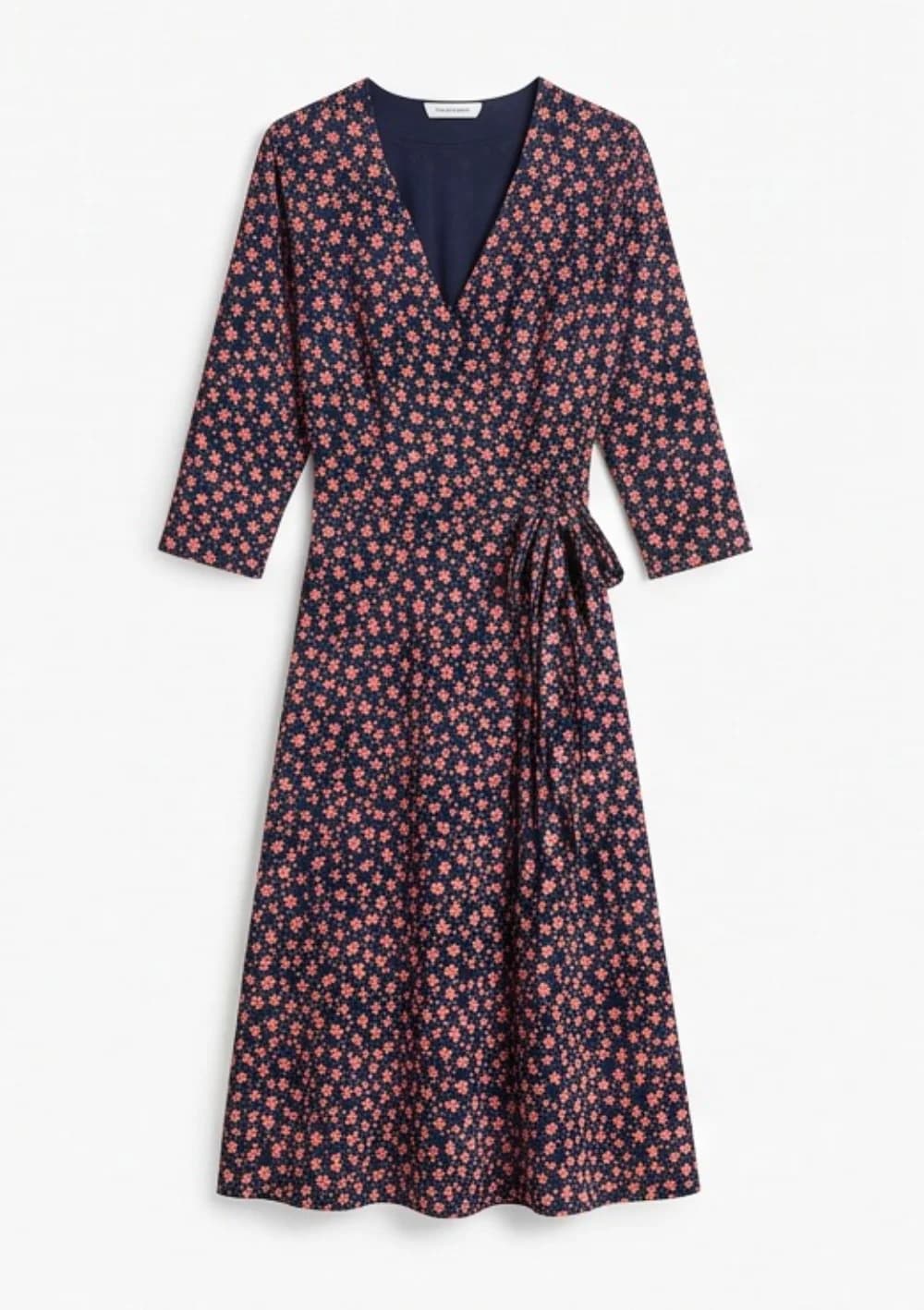
01 Product photo
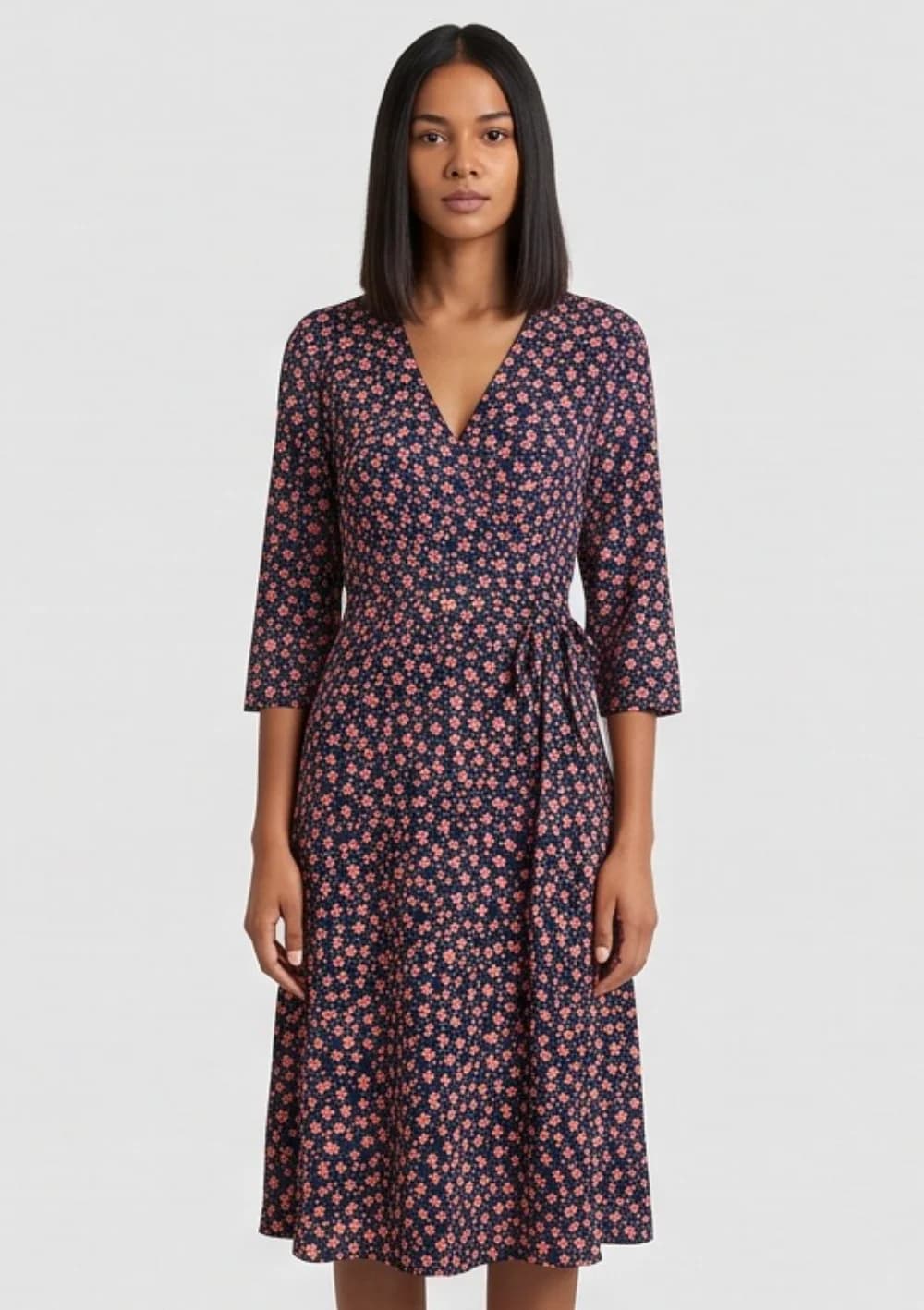
02 On the model
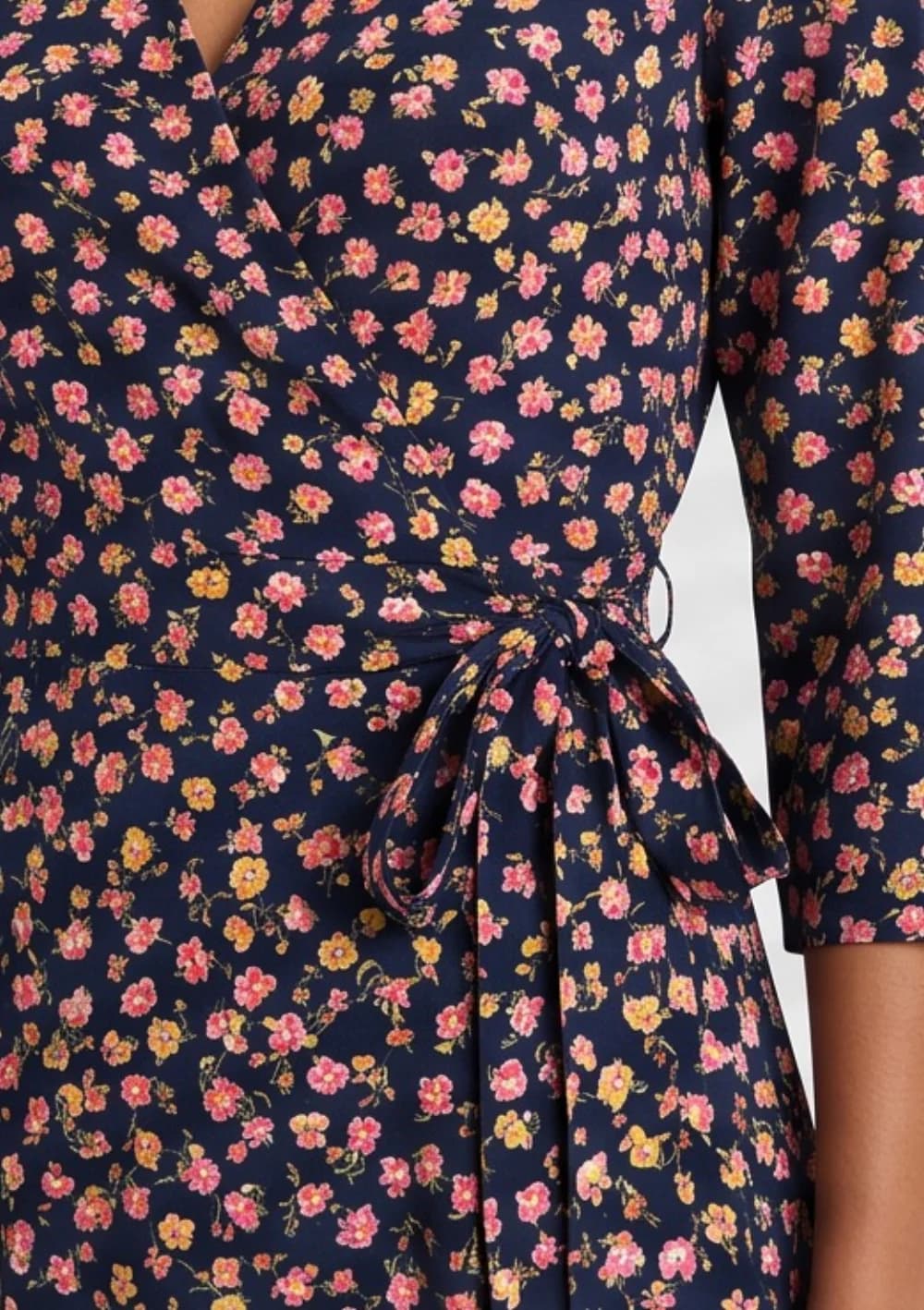
03 Full-size check
10 free photos, no card.
The method
How the AI photoshoot works
Upload the product photo, choose a model, choose the pose and setting, and generate. One photo is one credit.
Step 1
Upload your product photo
A photo you already have is enough: the garment flat on a table, on a hanger, on a mannequin, or a phone picture. JPG, PNG, WebP or HEIC.
Step 2
Choose who wears it
Pick one of 500+ AI models, or, from the Premium plan up, upload your own model or yourself. Keep the same model across a whole collection so your store pages match.
Step 3
Choose the pose and the setting
Pick the poses you want and a studio background or a scene from the preset library. From the Premium plan up you can also use your own backgrounds.
Step 4
Generate and download
Each photo takes about 15 seconds and costs one credit. Download it, or retry with a different pose or model.
The range
What you can photograph
Clothing, shoes, bags, jewellery, watches and hats — on a model, on their own, or as a ghost mannequin shot.
- Clothing on a modelTops, dresses, trousers, outerwear, knitwear, kidswear.
- Ghost mannequinThe worn shape with no body, mannequin or hanger.
- BagsHandbags, totes, crossbody bags and backpacks.
- ShoesSneakers, heels and boots, on foot or as studio angles.
- JewelleryNecklaces, earrings, bracelets and rings, worn and close up.
- WatchesOn a wrist, on a surface, or in a scene.
- HatsCaps, beanies and bucket hats.
- Modest fashion & hijabAbayas, hijabs and modest cuts on a model.
Shooting a whole range? The collection demo shows ten garments on one model, so every product page in a collection matches.
Free and paid
What is free, and what a plan adds
The 10 free photos are for trying it on your own products. They carry a watermark. A paid plan removes it and lets you use the photos in your store and ads.
| Free | Paid plan | |
|---|---|---|
| Photos | 10, once, on sign-up | Your plan’s credits every period |
| Card needed | No | Yes |
| Watermark | Yes | No |
| Use in your store and ads | For testing only | Yes, commercial use included |
| Resolution | Below 2K | 2K, or 4K on Ultra and Max |
| Video from your photos | No | Yes |
The alternative
AI photoshoot or a real one?
A real shoot means a photographer, a model, a studio and retouching, booked in advance. An AI photoshoot needs the product photo you already have.
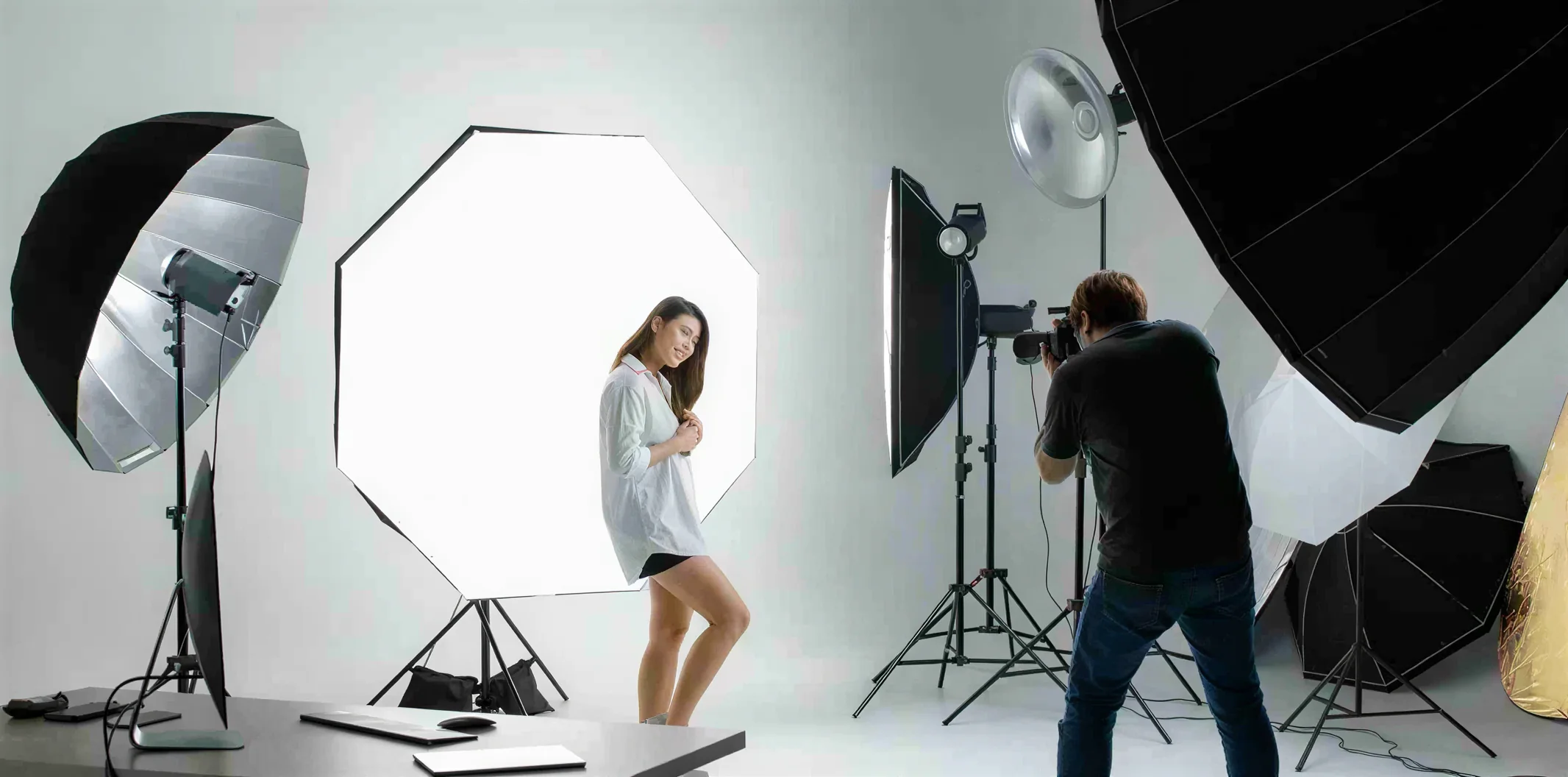
For a small store the difference is mostly time and money. The true cost of a fashion photoshoot works through a real collection budget both ways. If you are choosing between AI tools, the comparison of flat-lay-to-model AI tools sets their prices side by side.
Questions
Questions store owners ask
Is the AI photoshoot generator really free?+
You get 10 free photos when you sign up, with no card. Free photos carry a watermark, so they are for trying the tool on your own products. To use the photos in your store and ads, without a watermark and at 2K, you need a paid plan.
What is an AI photoshoot?+
An AI photoshoot turns an ordinary photo of your product into the photos a studio shoot would give you: the product on a model, in a styled setting, in several poses. There is no photographer, no model booking and no studio hire. You upload the photo, choose the model and the setting, and the images are generated.
What products does it work on?+
Things people wear: clothing, shoes, bags, jewellery, watches and hats, plus ghost mannequin shots of garments. It is built for fashion stores. It is not a general product tool for cosmetics, electronics, food or furniture, and it is not a headshot or selfie generator.
Do I need a model or a photographer?+
No. You choose from 500+ AI models. From the Premium plan up ($29.99 a month, billed yearly) you can also upload a photo of your own model or of yourself and use that face and body instead. The only photo you take is the product photo, and a phone picture of the garment on a hanger or flat on a table works.
How long does one photo take?+
About 15 seconds per photo. A retry, for a different pose or model, is another photo and another credit.
How much does it cost after the free photos?+
$0.33 per day is the Starter plan billed annually — from $9.99/month for 300 photos a year. $0.25 each is the Max annual 10,000-credit pack. One credit is one photo. Paid photos have no watermark, come out at 2K and can be used commercially.
Will the product look exactly like mine?+
Tryly aims to keep the colour, fabric, print and details of your product. Check every image before you publish it: small printed text, small logos, sheer fabric and exact brand colours are the details that most often need a retry.
What is the best AI photoshoot generator for clothing?+
Judge it on five things: your garment stays exactly as it is, the same model can wear your whole collection, the cost per usable photo once you count retries, fair pricing with a free test, and models that look like your customers. Tryly aims to keep the colour, fabric, print and details of your product, which you check at full size; it lets you keep one model, or your own model or yourself from the Premium plan up, across a whole collection; and every photo is one credit, retries included, as low as $0.25 each. You start with 10 free photos with no card, plans start from $9.99/month billed annually, unused credits roll over while you are subscribed, and you choose from 500+ models, including kids models, with a hijab setting for modest fashion. The full comparison is at tryly.ai/blog/best-flat-lay-to-model-ai-tools.
Get started
10 free photos, no card. From $0.33 per day. Photos as low as $0.25 each.
$0.33 per day is the Starter plan billed annually — from $9.99/month for 300 photos a year. $0.25 each is the Max annual 10,000-credit pack. One credit is one photo.