Guide
Instagram for clothing brands: what to post, how often, and the photos that stop the scroll
For the boutique or small clothing brand running its own account with little time and no content budget: the profile that sells, five kinds of post, the sizes Instagram keeps, a pace you can hold, and a month of on-model photos from one afternoon.

 By Elena Varga
 · Reviewed by Sofia Moretti |Fact-checked|13 min read
Key takeaways
- 1Set the profile up to sell first: a business account, a 150-character bio that says what you sell and for whom, the store link, sizing and shop highlights, and shopping tags.
- 2Post from five pillars (product, on-model, behind the scenes, customers, styling) at a pace you can keep for a year. Instagram sets no required frequency; the real limit is photos.
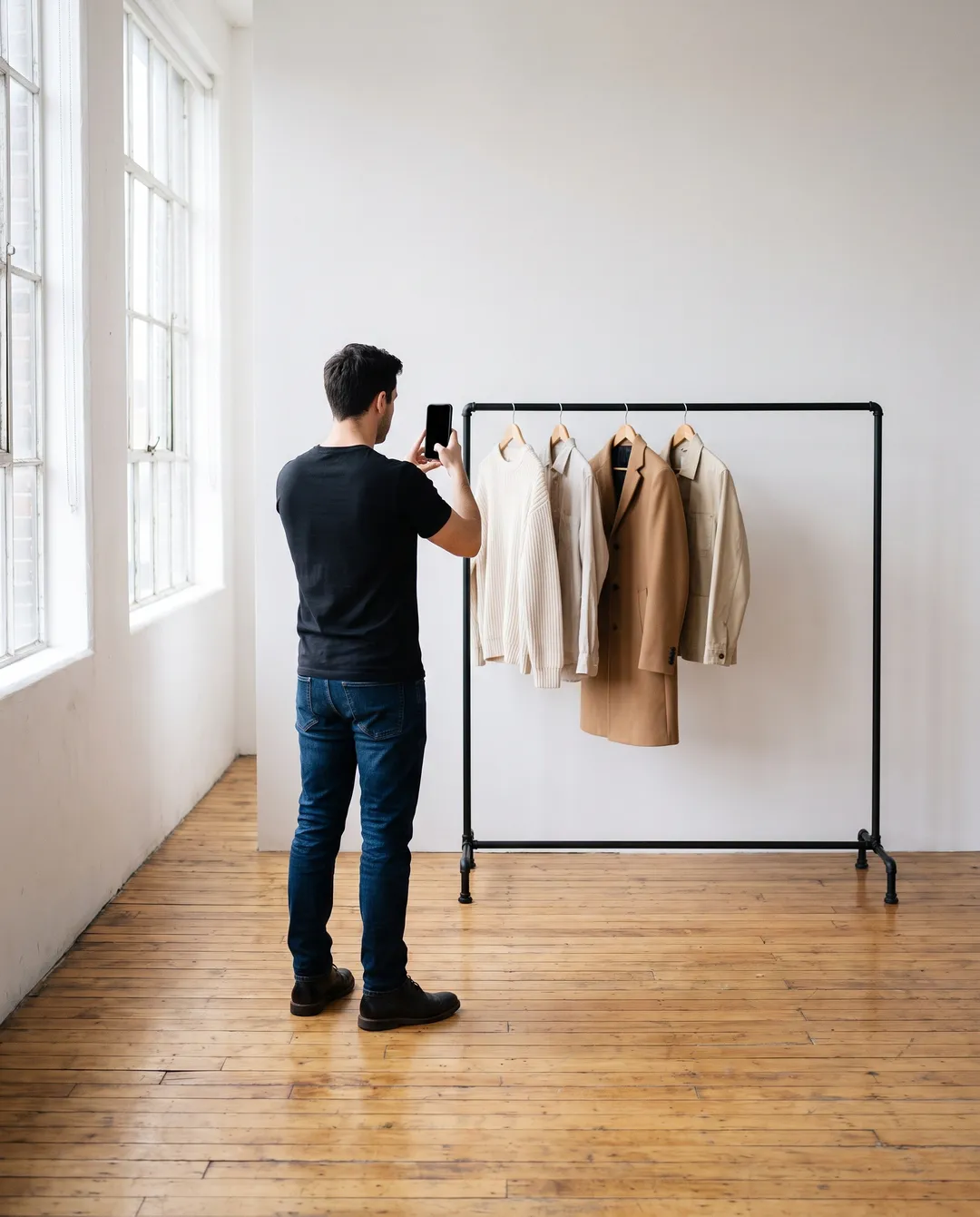
- 3One product needs many posts, and they all have to match. One flat photo per piece, put on the same model in front, back and side poses, gives you the volume and the consistency at once.
10 free photos, no card. Photos as low as $0.25 each.
On this page+
How do you run Instagram for a clothing brand?
The short answer
Instagram for a clothing brand comes down to four things: a profile set up to sell (business account, clear bio, store link, highlights, shopping tags), a feed built from five kinds of post, a posting pace you can keep for a year, and one consistent look, the same model in the same light, so every post reads as the same brand. The hard part is not ideas. It is getting enough good photos of every product to post that often.
This guide is for the owner who runs the account alone, between orders: the rules and sizes from Instagram’s own help pages, a content plan, and a way to solve the photo problem without booking a shoot every month.
How do you set up an Instagram profile for a clothing brand?
The short answer
Switch to a business account, write a bio that names the product and the customer, add your store link, create highlights for sizing, shop and reviews, and apply for shopping tags. A shopper who lands on the profile should know within seconds what you sell, whether it fits them, and where to buy it.
Switch to a business account
Instagram’s professional account guide calls business accounts best for retailers and brands; the switch unlocks the professional dashboard, insights and ads. In the app: Settings and activity, Account type and tools, Switch to professional account, Business. A private account becomes public when you switch, and connecting a Facebook Page is optional but makes shopping tools easier to use.
The bio and the link
The bio is up to 150 characters, so spend them on the product, the customer and the reason to buy: “Linen shirts for hot summers, sizes XS–3XL, made in small batches.” You can add up to five websites under Edit profile, then Links. Store first, size guide or current drop second.
Highlights
Stories vanish after 24 hours, but a story saved as a highlight stays on the profile until you remove it. Make three first: Sizing (how each piece fits, with measurements), Shop (ordering, shipping, returns) and Reviews (customer photos, with permission). Add one per drop.
Shopping tags
Shopping tags link a post straight to the product. Instagram’s commerce eligibility requirements list five conditions: comply with its policies, represent your business and your domain, be in a supported country, demonstrate trustworthiness, and provide accurate information. You also need a catalog in Commerce Manager (shopping tags guide, which allows up to 20 products and shops in a photo feed post), and tags work on image posts, video posts, reels and stories. For setting up the store your product catalog comes from, see starting an online boutique.
What should a clothing brand post on Instagram?
The short answer
Five kinds of post, in rotation: the product, the product on a model, behind the scenes, customers wearing it, and styling or education. About two thirds of the feed should show the product, and half of those posts should show it on a body, because fit is what a clothing shopper cannot see any other way.
The Instagram content ideas for a clothing brand that carry a feed for a year:
| Pillar | What it shows | Example posts | Share of the feed |
|---|---|---|---|
| Product | What the piece is: color, fabric, details, price. | Flat lay, fabric close-up, a carousel of colorways. | About a third |
| On-model | How it fits on a body. | Front, back and side on the same model; one outfit styled two ways. | About a third |
| Behind the scenes | Who makes it and why. | Sampling, packing orders, the sketch that became the piece. | A few a month |
| Customers | Proof that real people wear it. | Customer photos (with permission), a collab post with a creator. | When you have one |
| Styling and education | Reasons to save and share. | “Three ways to wear it,” a size guide, how to wash it. | One or two a week |
Styling earns the saves: one skirt three ways is the post people return to before they buy. On-model earns the follows: it is the photo that stops a stranger, and the one most small brands have the fewest of. For a full styled set, see how to make a lookbook.
Which Instagram formats and sizes should a clothing brand use?
The short answer
Feed photos at least 1080 pixels wide, 4:5 for most product shots; carousels for angles and colorways; reels and stories at 9:16. Every number below is from Instagram’s help center or Meta’s ads guide; both change, so follow the links before a big shoot.
| Format | What the official pages say | Use it for |
|---|---|---|
| Feed photo | Kept at original resolution at 320 to 1080 pixels wide and between 1.91:1 and 3:4; other ratios are cropped (Instagram). Meta’s ads guide recommends 4:5 at 1440 × 1800 (Meta). | Product and on-model shots. 4:5 fills more screen than a square. |
| Carousel | One post with up to 20 photos and videos (Instagram). | Every angle of one piece, a colorway set, a before-and-after. |
| Reel | 1.91:1 to 9:16, at least 720 pixels and 30 frames per second (Instagram). Up to 20 minutes, but over 3 minutes is not recommended to new audiences (Instagram). Ads: 9:16 at 1440 × 2560 (Meta). | Fabric moving, a try-on, packing an order, a drop teaser. Keep it short. |
| Story | Gone after 24 hours unless saved as a highlight (Instagram). Ads: 9:16 at 1440 × 2560, top 14%, bottom 35% and 6% at each side kept clear (Meta). | Restocks, polls, a product sticker, a link to the store. |
Shoot at 4:5 or square: Shops on Facebook and Instagram ask for 1:1 or 4:5, and square also works on Poshmark, eBay and Etsy; see product image size requirements. Turn on Instagram’s Upload at highest quality setting so fabric texture survives.
How often should a clothing brand post on Instagram?
The short answer
As often as you can keep up for a year without the photos getting worse: for a one-person brand, usually a few feed posts a week, stories most days and a reel when there is movement to show. Instagram publishes no required frequency, and a steady pace is easier to keep than daily bursts followed by silence.
Resellers on Depop describe the limit: posting more often did not bring more views.
A workable week: two or three feed posts (one product, one on-model, one styling or customer), a story most days and a reel every week or two. Past 100 followers, Insights shows when they are most active, so post then. Batch the photos: one afternoon should cover a month, which the next two sections explain.
Why does one product need so many photos?
The short answer
Because one product is not one post. It is a product photo, a front, a back and a side on a model, a styling carousel, a story, a reel and a customer repost, and then the same set again for your store and your ads. A 12-piece range at nine images each is 108 images before the month starts.
This is the problem small brands name first: not what to post, but how to afford enough good photos to post it.
Count it for your own range: a flat photo, an on-model front, back and side, one styled outfit, a detail close-up and a 9:16 crop for a story is seven images per piece, before the reel and the customer repost. The flat photos you take by a window cover the product pillar; see photographing clothes with a phone. The on-model set is the part that used to need a model, a photographer and a day. Whether you still need one is covered in how to find models for your clothing brand.
How do you build Instagram branding with one consistent look?
The short answer
Use the same model, background, light and crop on every product post. A grid where each photo was taken by a different person on a different day looks like a marketplace; a grid where one person wears the whole range looks like a brand. Tryly makes that set from one flat photo per piece: choose a model, select it again for every garment (on a paid plan a “Same model” button brings it back), and use the same poses and background each time.
Instagram branding is mostly repetition: what a shopper registers in a two-second scroll is whether the nine tiles on screen belong together, and the cheapest way to make them belong is one model in one light.
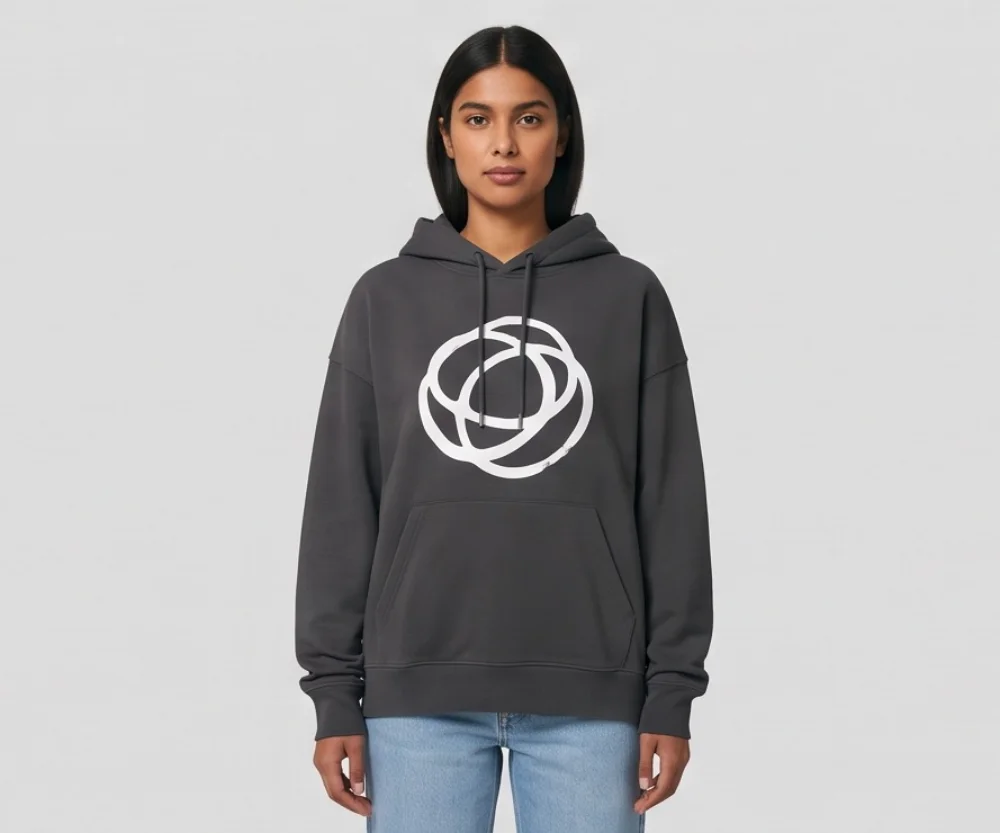
01 Graphic hoodie
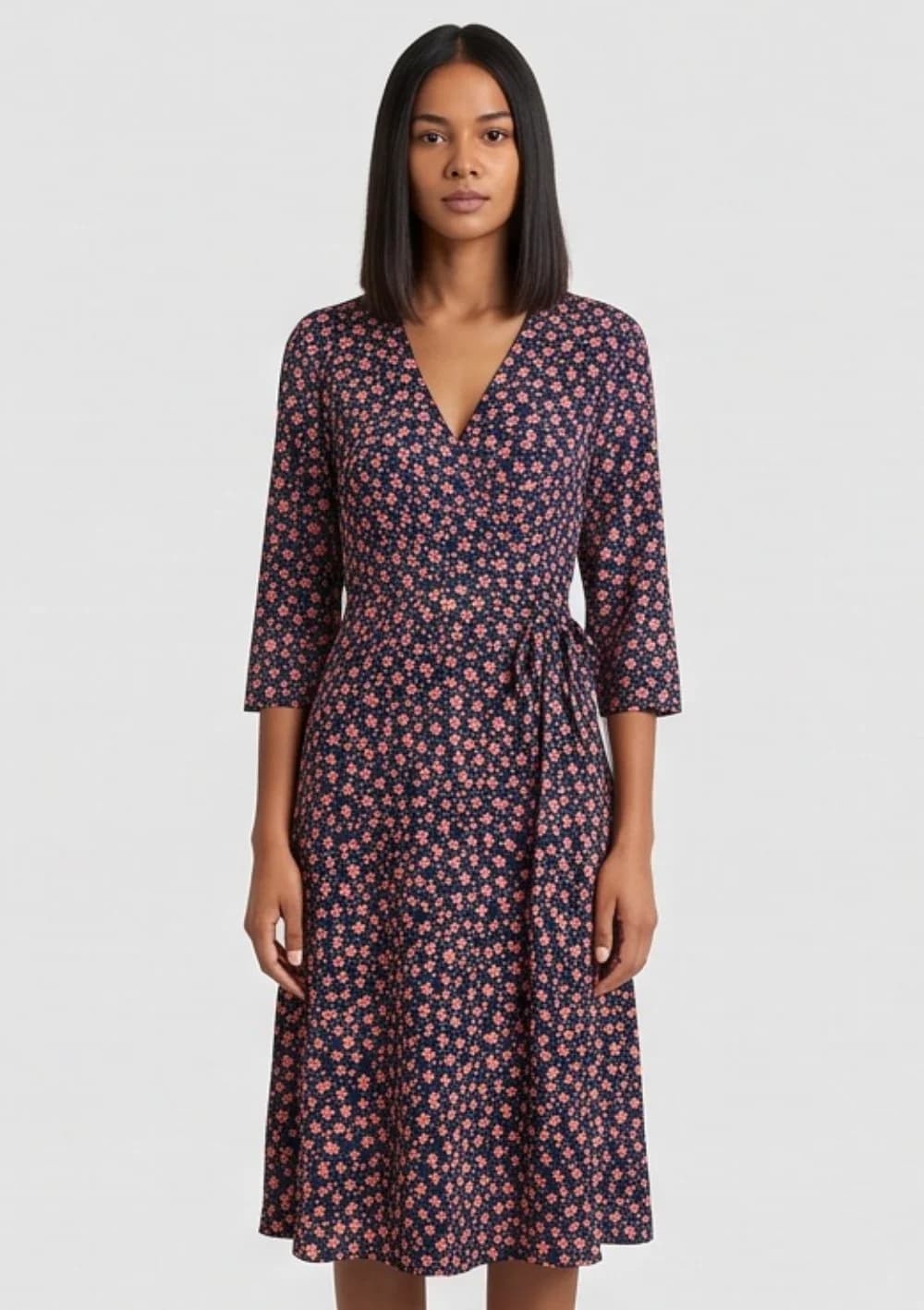
02 Floral dress
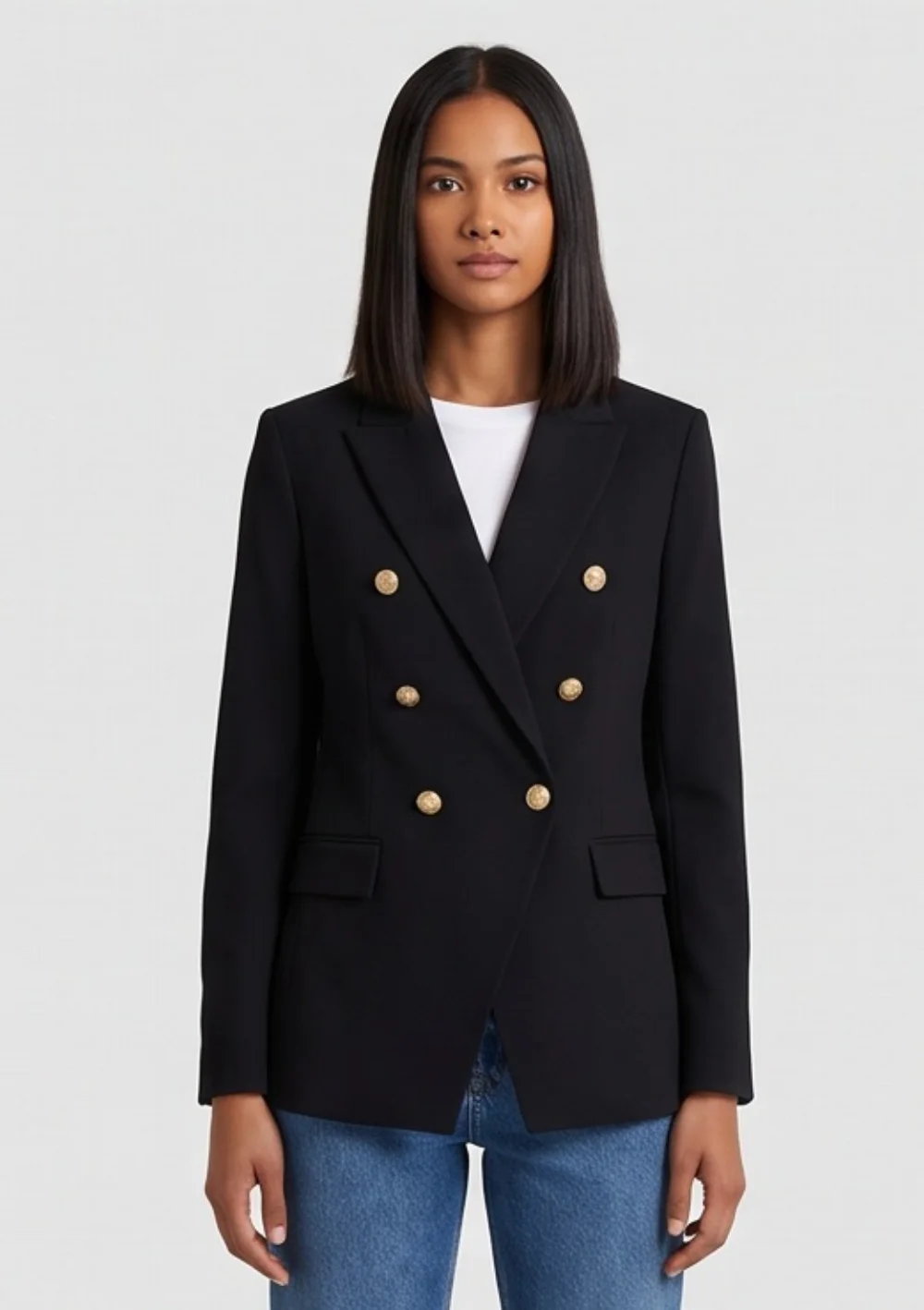
03 Blazer
How the on-model set is made
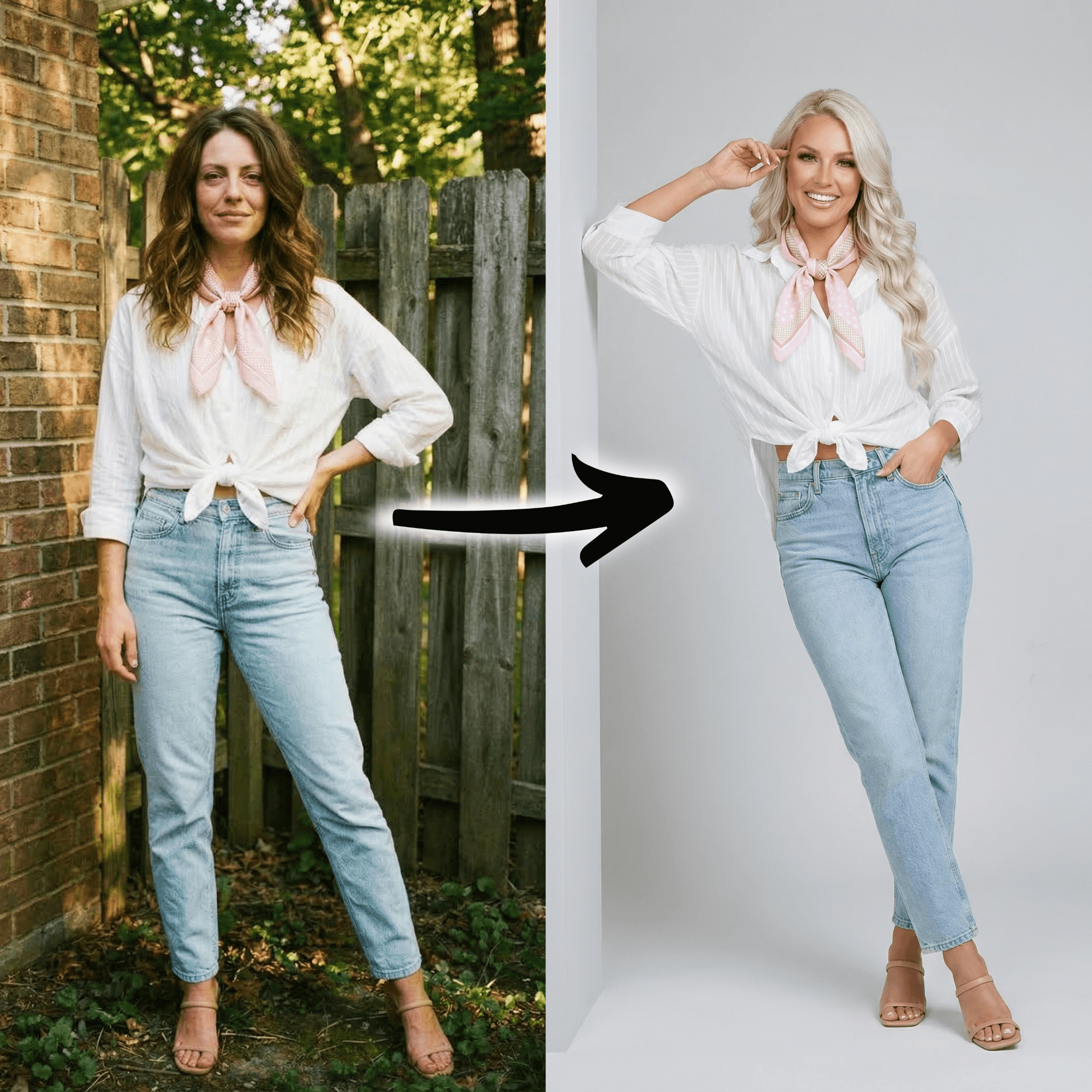
With Tryly’s AI clothing photography, you upload one flat, hanger or ghost-mannequin photo of a garment and say whether it is a full outfit, a top or a bottom. You choose one of 500+ models, or your own model or yourself, then the front, back and side poses you want and a studio or editorial background, or one of your own. The review step shows every choice before anything is spent; each photo is one credit.
On a paid plan, a “Same model” button brings back the model from your last shoot, so a whole range stays on one face across weeks of posting. The same garment photos can run again on a second model for a different audience, with no new photoshoot; the collection demo shows ten garments on one model.
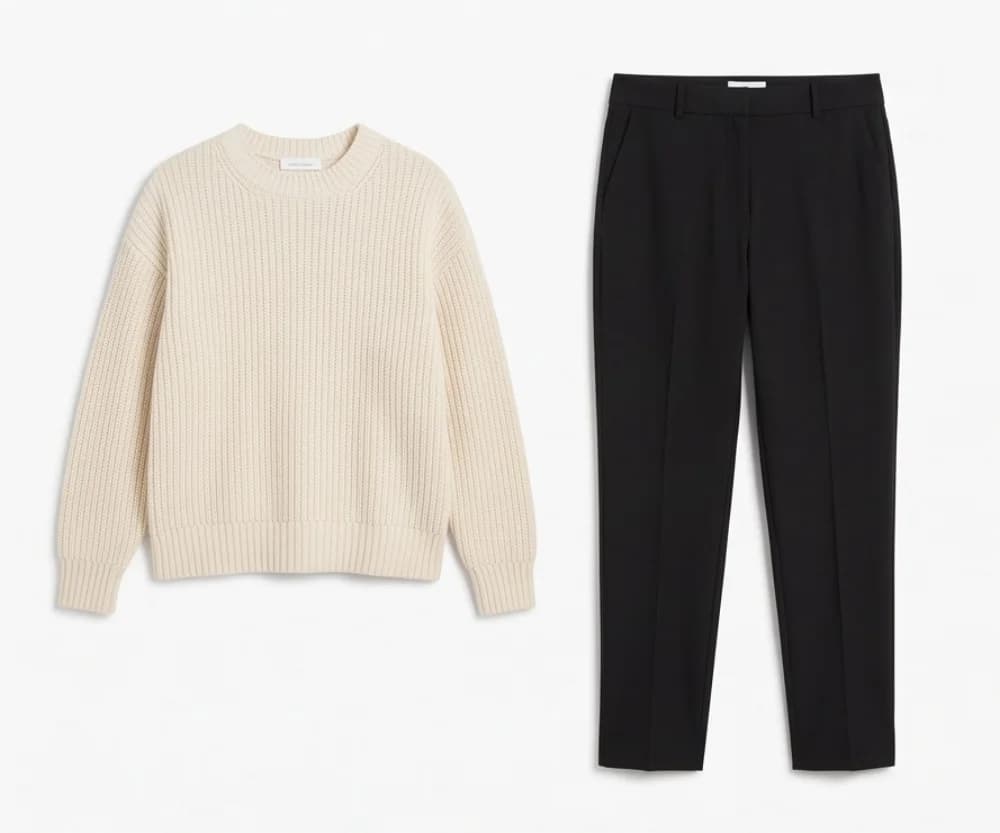 Before
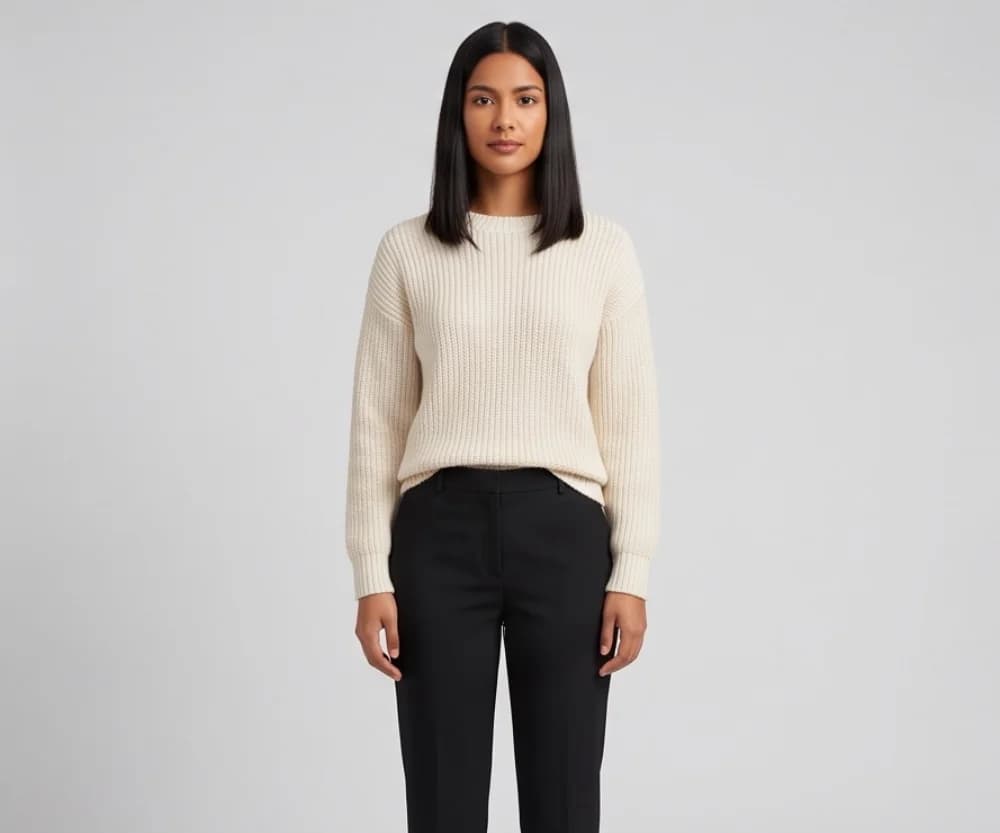 After
AfterPhotos made on a paid plan can be used on your store, in ads and on social media, and you start with 10 free photos, no card.
For scale: a 12-piece range at four on-model photos each is 48 photos, $12 at Tryly’s lowest rate of $0.25 per photo. Plans start from $9.99/month (Starter plan, billed annually), which is from $0.33 a day. As with any product photo, compare the close-up with the real garment before it goes on the grid. For where a shoot and customer photos still fit, see UGC vs studio vs AI photos.
How do you write captions, hashtags and alt text?
The short answer
Lead the caption with the one thing the photo cannot show, use up to five specific hashtags, and write the alt text yourself so it describes the garment.
Captions
The photo shows the piece; the caption answers the next question: fabric and weight, the model’s size and height, how it washes, when it ships, what it costs. Then one next step: “Link in bio” or “Tap the tag to shop.” Put the key detail at the start: long captions are cut off in the feed until someone taps more.
Hashtags
Instagram allows up to five hashtags on a post, so spend them on specifics: the piece (linen shirt), the style (streetwear), the wearer (petite fashion) and your own brand tag, so customers can post under it. On a public account, the post also shows on each hashtag’s page.
Alt text
Instagram adds automatic alt text using object recognition and lets you replace it, before or after posting. Write what a shopper using a screen reader needs: “Olive linen shirt, oversized fit, sleeves rolled, size M on a 5'7" model, white background.”
How do you promote a clothing brand on Instagram with creators and customers?
The short answer
Two ways that cost little: repost customers who already wear your pieces, with permission and a credit, and work with small creators whose audience matches yours, using collab posts and the paid partnership label.
Reposting customers
A customer photo is proof that the piece exists on a real body in a real room. Message first, say where it will appear, and credit the account. Ask in the order confirmation and a week after delivery.
Collab posts
A collab post tags another account as co-author. If they accept, the post shows on both profiles and reaches both sets of followers, with both names in the header, and the original author keeps ownership. For a customer or a creator, it is cleaner than a repost.
Paid partnerships
When a creator makes branded content for you, Instagram’s branded content policies require the creator to use the paid partnership label to tag your brand. Your account must be professional, you approve the tag, and you then see the post’s insights.
What should a clothing brand measure on Instagram?
The short answer
Saves, shares, profile activity after a post or story, link taps, and the split between followers and non-followers. All of it is in Instagram Insights, free on any public account. Likes are the least useful number.
Instagram’s insights guide lists metrics including Views, Interactions (likes, comments, saves and shares), Accounts engaged and Total followers. The ones that predict sales:
| Metric | Where it is | What it tells you |
|---|---|---|
| Saves and shares | Interactions, on posts and reels | A save is a planned purchase or a look to copy; a share is free reach. Make more of those posts. |
| Profile activity | Post and story insights | Profile visits, follows and website clicks after a post: people got curious about the brand, not just the piece. |
| Link taps and sticker taps | Story insights, under Interactions | Whether a story with a link or a product sticker earns the tap. |
| Followers vs non-followers | Accounts engaged | Non-follower engagement is how new customers find you. |
| Growth, locations, age, active times | Total followers, from 100 followers | Who actually follows, and when they are on Instagram: post then. |
Post insights and story insights stay available for up to two years, so you can compare a drop with the last one. Read them every 30 days, not every morning.
What should a clothing brand not do on Instagram?
The short answer
A feed that does not match, only white-background photos, posting in bursts, reposting without asking, generic hashtags, a profile with nowhere to buy, and judging everything on likes.
- A feed that looks like five different shops. One model, one background, one light, one crop.
- Only product-on-white photos. White background is for the product page. Here, show the piece on a body.
- Daily posts for two weeks, then silence. Pick a pace you can hold for a year, and batch the photos ahead.
- Reposting a customer’s photo without asking. Message first, credit always, use a collab post when you can.
- Generic hashtags that describe nothing. Instagram allows five; use them for the piece, the style and the wearer.
- A bio with no link, no highlights and no way to shop. Add the store link, a sizing highlight and shopping tags before any promotion.
- Judging posts on likes. Read saves, shares, profile activity and link taps instead.
What does a 30-day Instagram starter plan look like?
The short answer
Three days of setup, four days of photos, three weeks of posting from the five pillars, and Insights on day 30. By the end you have a profile that can sell, a grid that reads as one brand, and data for next month.
| Days | Do this | What you have at the end |
|---|---|---|
| Days 1–3 | Business account, bio, store link, Sizing, Shop and Reviews highlights, shopping-tag application. | A profile that can sell. |
| Days 4–7 | Photograph every product flat by a window. Make the on-model set, front, back and side, on one model. Write nine captions. | A month of photos, batched. |
| Days 8–14 | Product and on-model posts on alternate days, a story most days, one reel of fabric moving. | A grid that reads as one brand. |
| Days 15–21 | Styling carousels and a size guide. Tag products. Ask two customers for their photos; make one a collab post. | Posts people save and share. |
| Days 22–28 | A second reel, a behind-the-scenes post, a restock story with a product sticker. Message one creator. | A repeatable weekly mix. |
| Days 29–30 | Open Insights: saves, shares, profile activity, link taps, followers vs non-followers. Keep the two post types that did best. | Next month’s plan, from data. |
Days 4 to 7 decide the month: with the on-model set done on one model, the other 23 days are captions and stories; without it, the feed goes quiet in week three. For a brand that has not launched, this plan fits inside step 8 (launch) of starting a clothing brand.
Questions clothing brands ask about Instagram
How do I start an Instagram account for my clothing brand?+
Switch to a business account, write a 150-character bio that says what you sell and for whom, add your store link, and create Sizing, Shop and Reviews highlights. Post nine photos in one consistent look before you tell anyone about the account.
What should a clothing brand post on Instagram?+
Five kinds of post: the product itself, the product on a model, behind the scenes, customers wearing it, and styling or education such as “three ways to wear it” and size guides. Most of the feed should show the product, and half of those posts should show it on a body.
How often should a clothing brand post on Instagram?+
As often as you can keep up for a year: for most one-person brands, a few feed posts a week, stories most days and a reel now and then. Instagram publishes no required frequency.
What size should Instagram photos be for a clothing brand?+
Feed photos at least 1080 pixels wide, with a ratio between 1.91:1 and 3:4 (4:5 suits most product shots). Stories and reels are 9:16.
Can I tag my products in Instagram posts?+
Yes, if your professional account meets Instagram’s commerce eligibility requirements and you have an eligible catalog in Commerce Manager. Shopping tags work on image posts, video posts, reels and stories, with up to 20 products and shops tagged in a photo feed post. Every product is reviewed against Meta’s Commerce Policies.
How do I get on-model photos for Instagram without a photoshoot?+
Photograph each piece flat, on a hanger or on a mannequin in daylight and upload it to Tryly. Choose one of 500+ models, or your own model or yourself, pick front, back and side poses and a studio or editorial background, and select the same model for every piece so the whole range is on one person. One photo is one credit, photos cost as low as $0.25 each, and you start with 10 free photos, no card.
Sources: Instagram Help Center pages on image resolution, reel size and aspect ratios, recording a reel, how long stories remain visible, highlights, professional accounts, the bio, profile links, commerce eligibility, shopping tags, adding shopping tags, carousels, alt text, insights, post insights, story insights, the paid partnership label, collab posts and hashtags; Meta’s ads guide for the Instagram feed, Stories and Reels. These pages change; follow the links if a number matters to you.
Written by
Elena Varga
Head of Content, Tryly Academy
Former e-commerce photo producer who ran catalogue shoots for fashion labels for over a decade. Writes the Academy’s guides.
- 11 years in fashion e-commerce
- 1,200+ catalogue shoots produced
Expert review
Sofia Moretti
Fashion photographer · Expert reviewer
Has shot campaigns and on-model e-commerce for fashion brands for 14 years. Reviews every Academy article for accuracy.
- 14 years in fashion photography
- Campaign and catalogue work across Europe
How we work: every Academy article is written by a specialist, reviewed by a working fashion photographer, and re-checked against its sources when prices or rules change.