Guide
Product photography backgrounds: which one to use for clothing and accessories
White, grey, colour, linen, wood, marble, concrete or a real location? A decision guide for small fashion brands and boutiques who shoot their own products: by channel, by product, and on a budget.

 By Elena Varga
 · Reviewed by Sofia Moretti |Fact-checked|12 min read
Key takeaways
- 1Pick the background from the channel first. Marketplace main images want white or a neutral backdrop; Instagram and ads reward colour, texture and location.
- 2Then pick for contrast with the product: light clothes on light grey, dark clothes on white, shiny metal on a darker or textured surface.
- 3Choose one brand background and repeat it on every main image. Consistency, not the backdrop itself, is what makes a small shop look like a brand.
10 free photos, no card. Photos as low as $0.25 each.
On this page+
What is the best background for product photos?
The short answer
For a marketplace main image, pure white: it keeps the focus on the product and is what Amazon’s seller guide asks for in most cases. For your own store, one consistent light background, white or light grey. For Instagram and ads, colour, texture or a real location that shows how the piece is worn.
There is no single best background, only a best one for each photo’s job. Decide in this order:
- Start from the channel. Decide where the photo goes first: a marketplace main image, your store grid, Instagram or an ad.
- Check the platform rule. Amazon’s guide asks for pure white in most cases; eBay asks for a neutral backdrop with white generally best.
- Pick for contrast with the product. Light products on light grey or warm stone, dark products on white or light grey, shiny metal on a darker or textured surface.
- Choose one brand surface. Pick one background, or one per category, and use it for every main image.
- Build it cheaply. Poster board, backdrop paper, a painted board, a linen cloth or a stone tile, lit by a window from the side.
- Write it down and repeat it. Record surface, light, height, distance, crop and edit preset, and shoot every product the same way.
If you only need the white setup itself, the white background product photography guide covers the sweep, the phone settings and the edit step by step. This guide is about choosing.
Which product photography backgrounds can you choose from?
The short answer
Nine work for fashion: pure white, light grey, solid colour, paper texture, linen or cotton cloth, wood, marble, concrete or plaster, and a real location. Plain ones sell clarity; textured ones sell mood; a location sells the life the buyer imagines.
| Background | The look | Best for | Watch out |
|---|---|---|---|
| Pure white | Clean, neutral, no distraction | Marketplace main images, store grids, white-label catalogs | White clothes vanish; phones turn it grey |
| Light grey | Soft, premium, easy on the eye | Store pages, white and cream products, knitwear | Not what Amazon’s guide asks for in a main image |
| Solid colour | Bold, branded, scroll-stopping | Instagram, ads, drops, one colour per collection | Colour bounces onto the product and shifts its shade |
| Paper texture | Matte, quiet, a little handmade | Flat lays, small accessories, stationery-style brands | Creases and curl at the edges show |
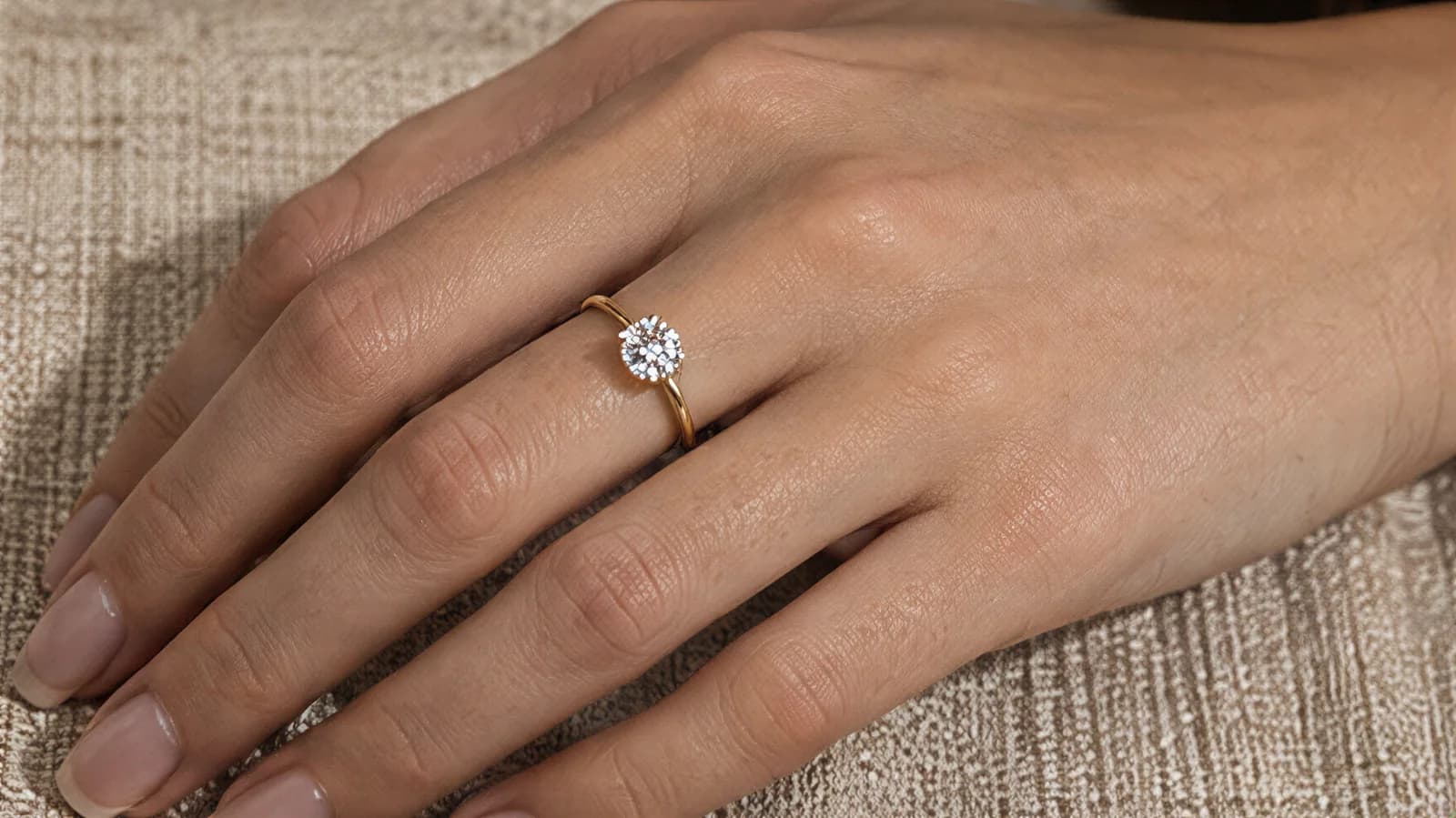
| Linen or cotton cloth | Soft, natural, slow fashion | Jewellery, scarves, knitwear, natural fibres | Wrinkles read as mess, not texture |
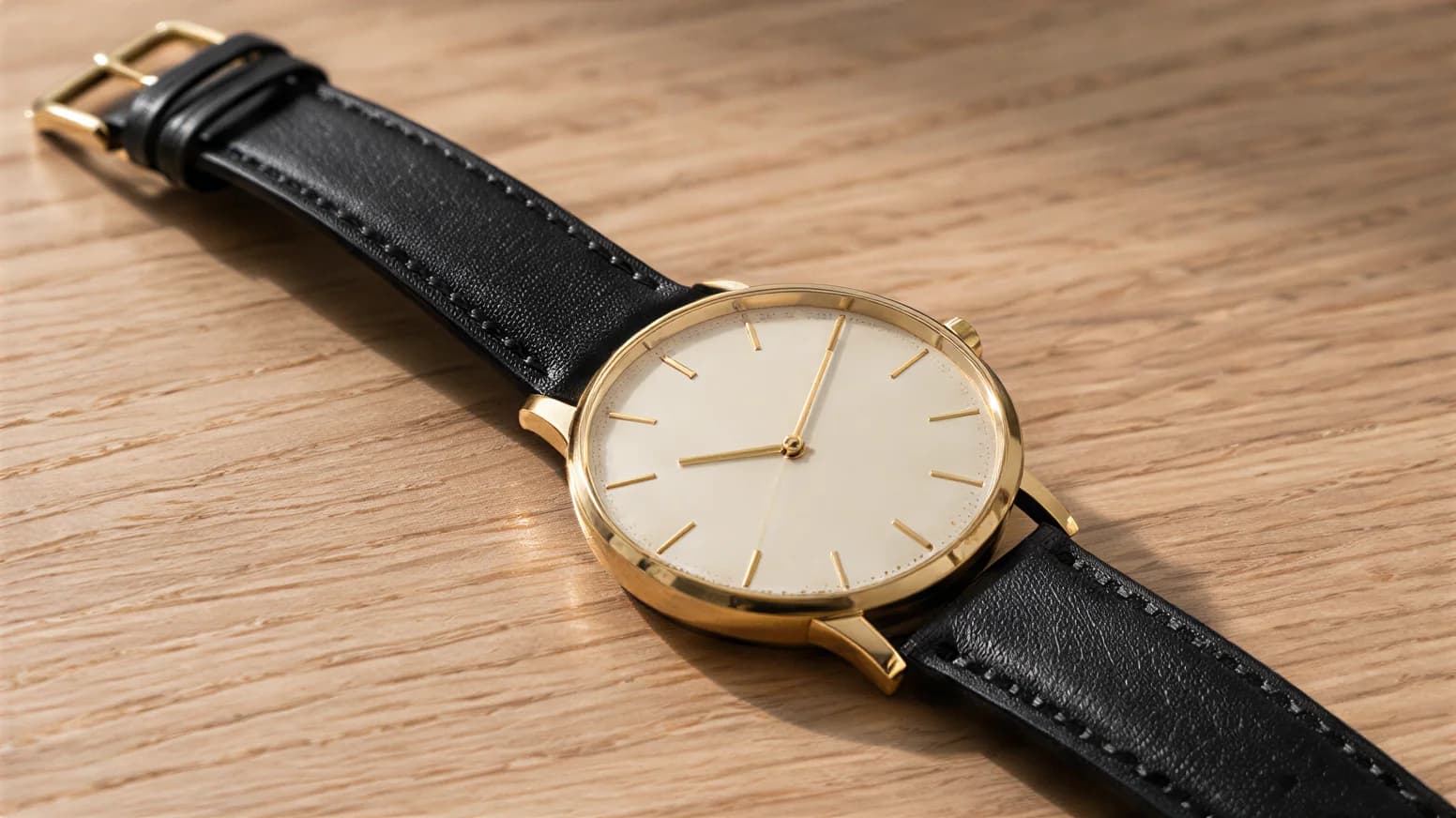
| Wood | Warm, crafted, lived-in | Watches, leather goods, shoes, menswear | Orange grain can make cream look yellow |
| Marble | Cool, polished, luxurious | Jewellery, sunglasses, beauty-adjacent accessories | Busy veining competes with fine detail |
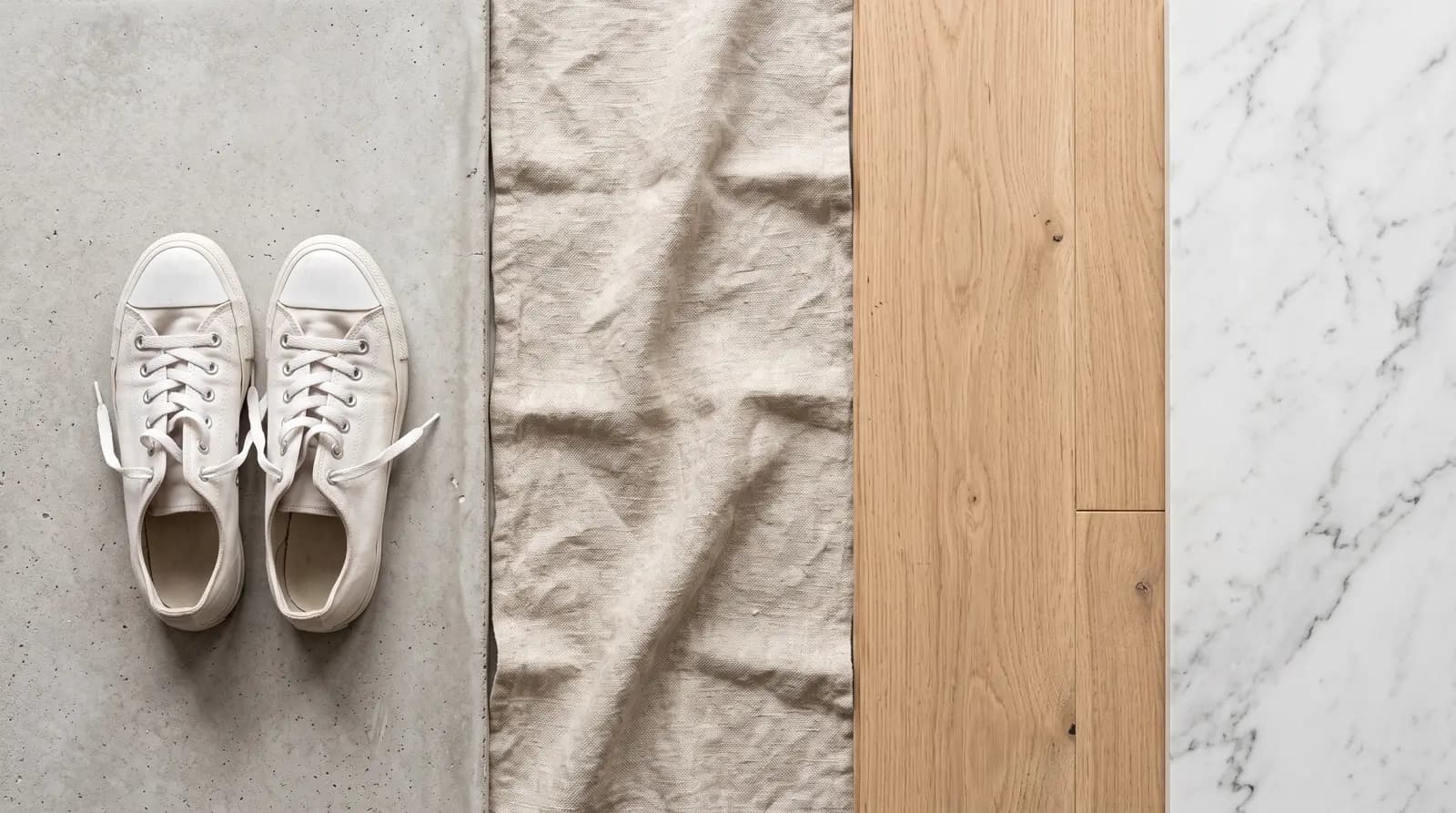
| Concrete or plaster | Urban, raw, editorial | Streetwear, sneakers, denim, bags | Grey cast on skin and pale fabrics |
| Location or lifestyle | Story, scale, how it is worn | Social posts, ads, homepage, lookbooks | Hard to repeat; the scene can upstage the product |
Plain backgrounds: white, grey and colour
Plain backgrounds put all the attention on the product, and they are the easiest to repeat. White is the default; light grey is its softer cousin and flatters pale fabrics. A solid colour is plain too, but it says something about your brand: a dusty pink for lingerie, a deep green for outerwear.
Textured surfaces: paper, linen, wood, marble, concrete
A surface adds a feeling without adding a story. Linen says natural, wood says crafted, marble says polished, concrete says street. Keep the texture finer than the product’s detail, or the background starts competing with the stitching and print you want people to see.
Location and lifestyle backgrounds
A street, a café, a beach or a bedroom shows how and where the piece is worn. That is why it works on social media and in ads, and why it is the hardest to repeat. The lifestyle product photography guide covers styling and props for that kind of shot.
Which background does each channel need: store, marketplace, Instagram and ads?
The short answer
Marketplaces want a clean, plain first image: pure white on Amazon, a neutral backdrop on eBay. Your own store wants one consistent background. Instagram and ads want contrast, texture and context. Most listings need both kinds: plain first, styled after.
| Channel | Main image | Extra images |
|---|---|---|
| Amazon | Pure white, product large in the frame | Lifestyle, texture and colour images after the white ones |
| eBay | Neutral backdrop, white generally best; face-on | Your own photos of the actual item, every flaw |
| Google Shopping | Clean, product 75–90% of the image, no overlays | A separate lifestyle image |
| Your own store | One consistent background for every main image | On-model, location and detail shots |
| Whatever stops the thumb: colour, texture, location | Keep a repeating background so the grid looks like one brand | |
| Paid ads | Product worn, in context, with contrast | Test the same product on two backgrounds |
Amazon: white first, texture after
Amazon’s seller guide to product photos says that in most cases product shots should be taken against a white background, RGB 255, 255, 255, and calls it an industry standard and an Amazon default. The same guide says a coloured, textured or lifestyle background can create contrast and mood in creative shots, and advises always having white background images as well.
It also asks for the product to fill 85% or more of the frame and recommends at least six images, which leaves room for textured or lifestyle shots after the white ones.
eBay: a neutral backdrop, your own photos
eBay’s photo tips ask you to show items in an uncluttered space against a neutral backdrop, and say white backgrounds are generally best, but a darker background may work better for shiny or reflective items such as jewellery. The main photo should show the whole item face-on, and you can add up to 24 pictures.
eBay’s picture policy does not allow stock photos for used, damaged or defective items, or added borders, text or watermarks. So every eBay listing leads with your own photos of the actual item. An on-model photo can only be an extra after those, never instead of them.
Google Shopping and your own store
Google’s Merchant Center image requirements recommend that the product takes up 75% to 90% of the image, rule out promotional overlays such as text and watermarks, and offer a separate attribute for a lifestyle image. Shopify’s help center asks for a consistent aspect ratio across all your main images.
Neither picks a colour for your own store. That is a brand decision.
Which background suits which fashion product?
The short answer
Choose the background that contrasts with the product’s colour and suits its material. Light clothes need a slightly darker background than white, dark clothes need a light one, and shiny metal needs a darker or textured surface to show its edges.
| Product | Backgrounds that work | Why |
|---|---|---|
| White and cream clothes | Light grey, warm stone, soft colour | Pure white swallows their edges |
| Black and navy clothes | White, light grey, pale wood | Dark backgrounds hide the outline |
| Knitwear | Linen, light wood, warm grey | Texture next to texture feels cosy |
| Denim | White, concrete, brick | Indigo pops on cool, raw surfaces |
| Dresses and eveningwear | Light grey, plaster wall, location | They need length and movement |
| Sneakers | White, concrete, solid colour | Clean silhouette, street mood |
| Leather shoes and bags | Wood, stone, light grey | Warm surfaces flatter leather |
| Jewellery | Linen, marble, dark slate | Shiny metal needs contrast |
| Watches | Wood, leather, dark stone | Shows the dial and the strap |
| Sunglasses and glasses | White, pale colour, marble | Lenses reflect anything busy |
| Scarves and hats | Linen, light grey, soft colour | Lets the print or shape lead |
Clothes
Garments are big, so the background has to be big too: a paper roll, a plain wall or a location. For flat lays, the surface is the background, and the flat lay photography guide covers boards, fabrics and styling from above.
Accessories
Small pieces get close-ups, so the surface fills the frame and its texture matters more. Jewellery and watches shine on linen, marble or slate. Glasses and sunglasses reflect what is around them, so keep the background plain and pale; the eyeglasses photography guide covers lens reflections in detail.
01 Wood
02 Linen
The colour of the surface also changes how the product reads. Warm wood pushes cream towards yellow and gold towards orange; cool marble makes silver crisper. Check the product’s colour on screen against the real piece before you settle on a surface. Light changes it too, as the product photography lighting guide explains.
Product photography background ideas for fashion brands
The short answer
Good product photography background ideas for fashion are cheap and repeatable: a colour-blocked wall, a linen sheet, a stone floor tile, a plaster wall in side light, a shadow from a plant, or a doorway with daylight. Pick one or two and build a look around them.
- Tonal colour. A background one shade lighter than the product: a sand wall behind a camel coat. Calm, expensive, easy to repeat.
- Colour block. A bold contrast colour per collection: cobalt for summer, rust for autumn. Ideal for drops and ads.
- Two-tone sweep. A wall colour with a different floor colour, for shoes and bags that sit on the ground.
- Shadow play. A plant, blind or window frame casting soft shadows across a plain wall. Free, and very Instagram.
- Crumpled linen. Folds on purpose under jewellery, scarves and knitwear.
- A doorway or stairwell. A frame within the frame for full-length outfits, with daylight from the side.
- Seasonal location. Beach for swimwear, park for knitwear, city for tailoring: once a season, not every week.
Scarves are a special case: the print is the product, so the background should almost disappear. Fold or drape them on a plain, pale surface.
How do you make a cheap DIY backdrop at home?
The short answer
Curve white poster board from a box onto a table for small items, roll backdrop paper from a shelf for full garments, and add one textured surface: a steamed linen cloth, a painted board or a stone tile. Light it from the side with a window.
| Material | How to use it |
|---|---|
| Poster board or foam board | Curve it from a box or the wall onto the table: a seamless sweep for shoes, bags, hats and folded clothes. |
| A roll of backdrop paper | Clamp it to a shelf and roll it across the floor: big enough for a full garment or a person. |
| A painted board | One sheet of plywood or MDF, painted your brand colour in matte paint; the back can be a second colour. |
| Vinyl or printed boards | Marble, wood, concrete and terrazzo looks that wipe clean; shoot at a slight angle to hide the print grain. |
| A linen tablecloth or offcut | Steam it, or crumple it on purpose so the folds look chosen, not accidental. |
| Floor tiles or a stone offcut | Real marble, slate or concrete from a hardware store: heavy, but unbeatable for jewellery and watches. |
| A plain wall or door | For clothes on a hanger: clean, evenly lit and repainted if it has marks. |
Whatever you build, keep the product a step forward from the back of the backdrop so its shadow falls on the floor, not the wall. Keep matte over glossy: a shiny board shows a hot spot from the window.
For the full table, tripod and light layout, see the product photography setup guide.
How do you keep one background across a whole catalog?
The short answer
Write a short background spec and follow it for every product: the surface, the light, the camera height and distance, the crop and the edit preset. Leave the setup up between shoots, and shoot each category the same way.
A buyer judges a small brand on its collection page: a grid of main images side by side. Mixed backgrounds make that grid look like a jumble sale, even when each photo is good on its own.
Your background spec, on one page:
- Surface: exact material and colour, with a spare sheet bought now.
- Light: which window or lamp, from which side, at what time of day.
- Camera: lens, height and distance, marked on the floor with tape.
- Crop: one aspect ratio for every main image, and how much space around the product.
- Edit: one saved preset for white balance, exposure and background.
- Shot list: the same angles, in the same order, per category.
One background for the main images, and one or two signature surfaces or locations for everything else, is plenty. If you post on Instagram, repeat those too: the Instagram for clothing brands guide covers building a grid that reads as one brand.
Background decision table: pick yours in a minute
The short answer
Start from where the photo goes, then from the product’s colour and finish. If two rows apply, the platform rule wins for the main image, and the product’s needs win for everything after it.
| If… | Use… |
|---|---|
| It is the first image on Amazon | Pure white |
| It is the main photo of a used item on eBay | Your own photo, neutral backdrop, white if you can |
| The product is white or cream | Light grey or warm stone |
| The product is black or very dark | White or light grey |
| The product is shiny metal or glass | A darker or textured surface, or white with black cards |
| It is your store’s product grid | The one background you use for everything |
| It is an Instagram post or an ad | Colour, texture or a location |
| Buyers ask how it fits | On a model, plain or location background |
| You launch a capsule or drop | One colour or one surface for that collection |
How do you get on-model photos on any background without a shoot?
The short answer
Shoot the product once on a clean background, upload it to Tryly, choose a model and pick the background: studio, outdoor, lifestyle or abstract. One credit is one photo, and you can start with 10 free photos, no card.
Location shoots are the background most small brands cannot afford to repeat. Tryly takes the photo you already have and puts the piece on a model, on the background you choose. Pick from 500+ models, or use your own model or yourself. Kids models and a hijab setting are there too.
 Before
 After
AfterIt works the same for accessories. With hats, studio, outdoor, lifestyle and abstract backgrounds sit in tabs, and you can save your own, so the same background comes back for the next product. Clothing, shoes, bags, watches, jewellery, glasses, scarves, ghost mannequin, video and model swap run through Tryly too, starting from AI clothing photography.
 Before
 After
AfterFor scale: one product on three backgrounds, plain, textured and location, is three photos. Across a 30-piece collection, that is 90 photos, which cost $22.50 at Tryly’s lowest rate of $0.25 per photo. Plans start from $9.99/month, from $0.33 per day.
Questions sellers ask about product photo backgrounds
What is the best background for product photography?+
White, for the main image of most listings: it keeps the focus on the product and is what Amazon’s seller guide calls an industry standard. Light grey works better for white and cream products. For social media and ads, colour, texture or a location usually earns more attention than white.
Is a grey background OK for product photos?+
Yes, for your own store, Instagram and extra images. A light grey makes white and cream clothes easier to see and looks calm in a grid. For an Amazon main image, use pure white instead, since Amazon’s guide asks for RGB 255, 255, 255 in most cases.
What color background is best for clothing photos?+
Pick for contrast with the garment: white or light grey for dark clothes, light grey or warm stone for white and cream clothes, and a soft brand colour for social posts. Avoid strong colours right next to the fabric, because colour bounces onto it and changes its shade.
Can I use a textured background like marble or wood on a marketplace?+
On extra images, usually yes. Amazon’s guide says you can add coloured, textured or lifestyle backgrounds, but should always have white background images too. eBay says a darker background may work better for shiny items such as jewellery. Keep the first image plain.
How do I keep the same background across all my product photos?+
Write a one-page background spec: the surface, the light, the camera height, the distance, the crop and the edit preset. Mark the setup with tape and leave it up. Shoot the same angles in the same order for every product in a category.
What is a cheap DIY backdrop for product photography?+
White poster board curved from a box onto a table works for shoes, bags, hats and folded clothes. A roll of backdrop paper covers full garments. For texture, use a steamed linen cloth, a painted board, or a marble or slate floor tile from a hardware store.
How can I show my clothes on a model with a different background?+
Photograph the product on a clean background, upload it to Tryly, choose a model and pick a background: studio, outdoor, lifestyle or abstract. One credit is one photo, and you can start with 10 free photos, no card. Check every photo at full size against your product.
Sources: Amazon, seller guide to product photos; eBay Help, adding pictures and photo tips; eBay, picture policy; Google Merchant Center Help, image requirements; Shopify Help Center, product media types.
Written by
Elena Varga
Head of Content, Tryly Academy
Former e-commerce photo producer who ran catalogue shoots for fashion labels for over a decade. Writes the Academy’s guides.
- 11 years in fashion e-commerce
- 1,200+ catalogue shoots produced
Expert review
Sofia Moretti
Fashion photographer · Expert reviewer
Has shot campaigns and on-model e-commerce for fashion brands for 14 years. Reviews every Academy article for accuracy.
- 14 years in fashion photography
- Campaign and catalogue work across Europe
How we work: every Academy article is written by a specialist, reviewed by a working fashion photographer, and re-checked against its sources when prices or rules change.