Guide
How to sell on Depop: listing, photos, shipping and fees
How to sell on Depop, from a closet clear-out to a vintage side hustle: setup, photos, every listing field, pricing, Depop Shipping, fees and payouts, all from Depop’s own pages.

 By Elena Varga
 · Reviewed by Sofia Moretti |Fact-checked|14 min read
Key takeaways
- 1Listing is free and there is no selling fee in the US, UK and Australia. A payment processing fee comes off each sale (3.3% + $0.45 in the US, 2.9% + £0.30 in the UK), and buyers pay a marketplace fee and, by default, the shipping.
- 2Every photo must be one you took. The app takes four and a video, the web eight: a cover shot, a key detail, the tags and every flaw, plus a worn shot of you or a friend.
- 3Use Depop Shipping (USPS in the US, Evri in the UK): prepaid by the buyer, tracked, and covered by Depop Protection. Ship within two days, and answer offers, which expire after 14 days.
10 free photos, no card. Photos as low as $0.25 each.
On this page+
How does selling on Depop work?
The short answer
You list an item from the app or Depop.com with photos, a description, a category, a condition, a price and a shipping option. A buyer pays Depop, including shipping and a marketplace fee. You ship the item with a prepaid Depop Shipping label or your own tracked label, and the money lands in your Depop Balance after delivery. In the US, UK and Australia there is no selling fee, only a payment processing fee.
This guide follows that order, from setting up to getting paid, with every rule, fee and limit taken from Depop’s own help pages and linked so you can check them. Still choosing a platform? Where to sell clothes online compares Depop with Poshmark, Vinted, eBay and the rest; the Vinted and Poshmark guides cover those two in the same depth.
Step 1: Set up your Depop account to sell
The short answer
Download the app or go to Depop.com, sign up with Google, Apple or your email, and pick a username. To list and sell in the UK, US or Australia you need Depop Payments set up, which means a bank account and, before payouts, ID verification (required in the UK; US sellers may be asked to verify).
- Sign up. Per Depop’s sign-up guide, you give your name, date of birth and a username.
- Set up Depop Payments. Depop’s listing guide says sellers in the UK, US and Australia need Depop Payments to list and sell at all; elsewhere you need a linked PayPal account. Its UK payments page adds that a valid bank account and an uploaded ID are needed before payouts can leave your Depop Balance; the US page asks for a bank account and says you may be asked to verify your identity. Under-18s need a parent or guardian to verify.
- Make the shop look like a shop. Depop’s how-Depop-works guide suggests a shop photo and two-factor authentication. Keep personal details out of your bio, as its selling guide asks.
- Choose your shipping method. Depop Shipping or your own, under Shipping settings, before you list (more in step 6). Then, under Sell more, switch on Bundles (step 5 has the details).
Step 2: Decide what to sell on Depop
The short answer
Depop’s own guide names what sells best: pre-loved clothes, shoes and accessories (vintage, streetwear, designer, everyday basics), trending styles and brands, rare finds such as band tees and classic denim, and upcycled or reworked pieces.
How to sell clothes on Depop that people are searching for
Depop’s what-to-sell list is a good filter for a closet: the branded, the vintage, the nostalgic and the reworked go up first; plain fast-fashion basics sell too, but at prices that leave little after fees. Calling a piece vintage? Date it by its labels first, so the era in your title is right. Each month Depop’s blog publishes a trend report on the styles, categories and brands driving searches, so check it before you decide what to list.
How to sell stuff on Depop that is not clothing, and what is banned
Shoes, bags, jewelry, cameras and ordinary wrist watches are all allowed. Depop’s prohibited items list rules out most electronics (phones, headphones, consoles, smartwatches), used or opened cosmetics and perfume, counterfeits, drop-shipped items, anything not in your possession, and mystery boxes. For clothing resellers: second-hand clothing must be declared as used and cleaned according to the manufacturer’s instructions.
Step 3: Depop photo tips buyers respond to
The short answer
Photos you took yourself of the actual item, in daylight, on a plain background, covering all sides, the details and every flaw. The app takes four photos and a video, the web eight. Depop’s growth guide says modeled shots tend to perform best, and flat lays on simple backgrounds also do well.
One rule sits above every tip. Depop’s stock images policy is short: “Only use photos taken by yourself.” A listing with a picture lifted from the internet comes down, per its selling guide, and its search tips reward photos that cover the item from all sides, close in on the details and show the faults.
The four photos, in order
- The cover. The whole item, steamed, on a clean surface or worn. Depop’s growth guide calls for a stellar one.
- The back, or the detail that sells it. A print, a lining, the hardware, the wash.
- The brand tag and size label, readable. Depop’s selling guide asks you to check the item is authentic and to include photos of any labels and tags.
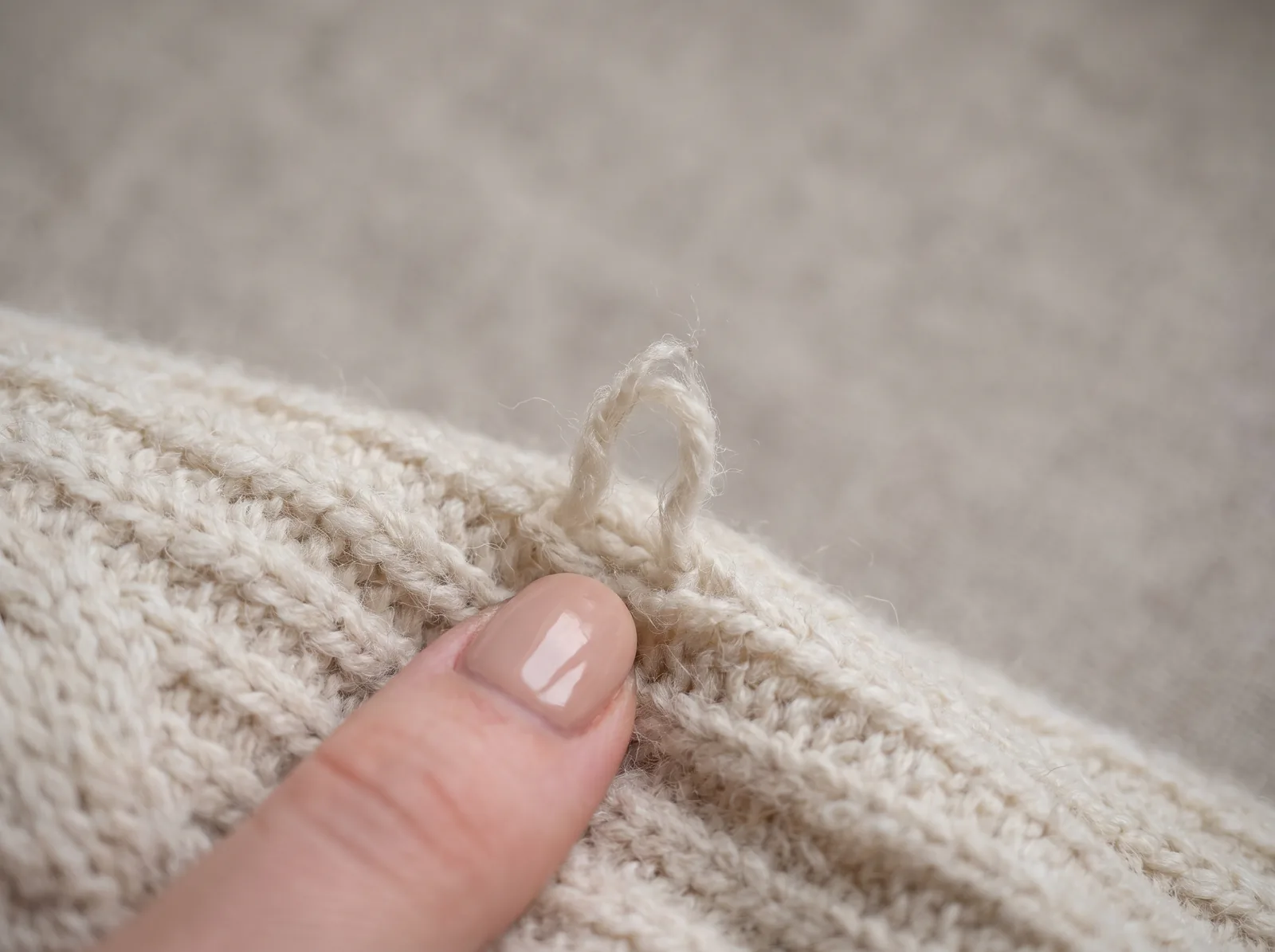
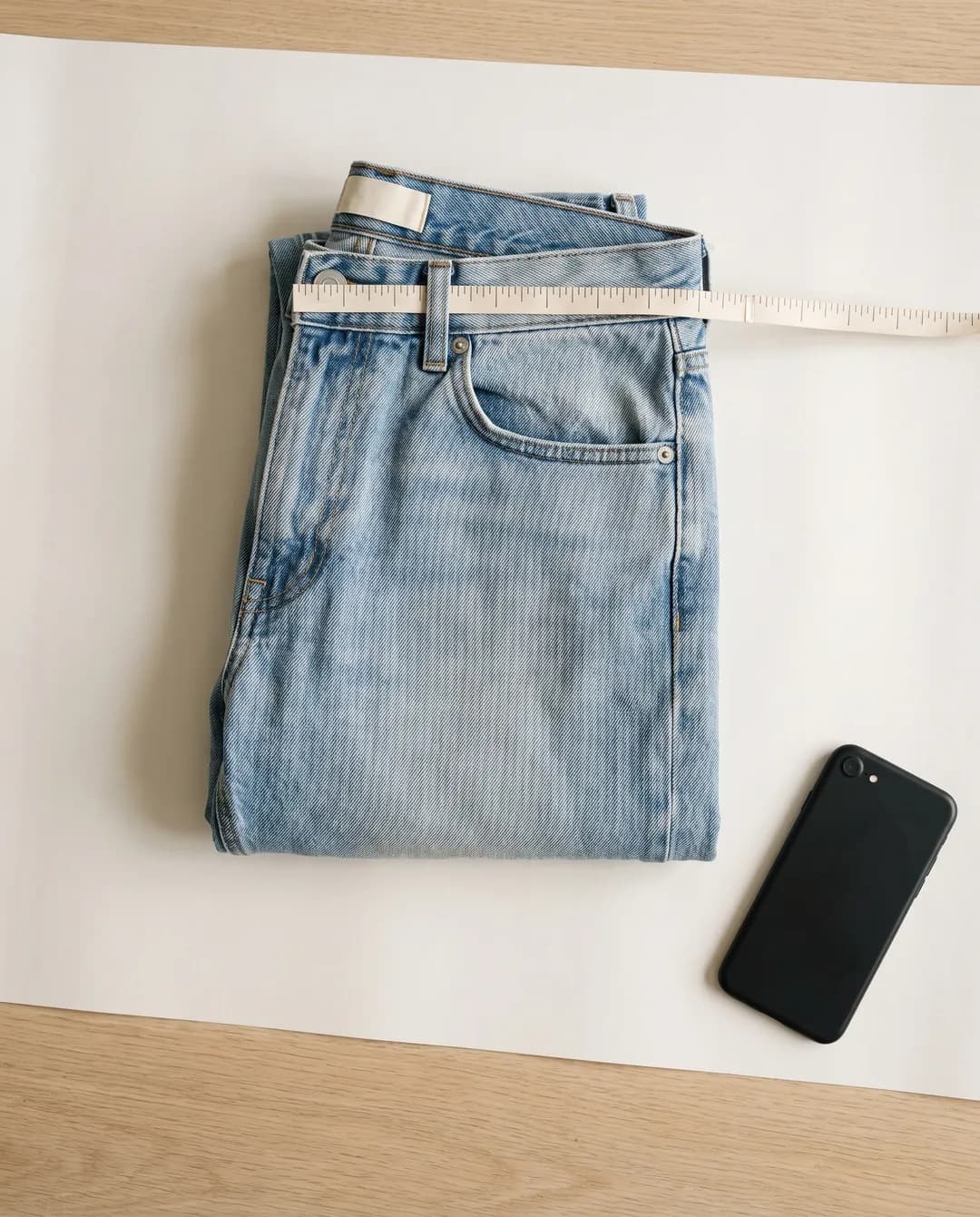
- Every flaw, close up. On the web you have eight slots: add a tape measure across the item, the fabric and a second angle.
Flat lay, mannequin or worn?
A flat lay is the fastest setup and shows the whole item honestly; a mannequin adds shape but not fit; a worn photo shows how the piece hangs on a body, which is what a buyer is trying to guess. The phone method is in how to photograph clothes to sell, the setup in the flat lay photography guide, and a repeatable backdrop in the white background guide.
The worn photo: take it yourself
On Depop the worn shot is you, or a friend, wearing the actual piece. No studio needed:
- Decide which slot it gets. The app gives you four. Since modeled shots tend to perform best, the worn shot can be the cover, with the flat lay, the tags and the flaw in the other three.
- Use the video slot for movement. A few seconds of you turning in the piece shows drape, stretch and length in a way one still cannot.
- A clean mirror and a window. Frame from head to shoes so the length reads, and keep the same corner of the room for every listing: Depop’s growth guide asks for one coherent style across your shop.
Step 4: List the item, field by field
The short answer
In the app: tap Sell, add up to four photos and one video, describe the item with up to five hashtags, add the category, shipping price, brand and condition, set a price (Depop suggests a range from similar sold items) and tap Post listing. On the web: Sell now, up to eight photos, the same fields, plus bulk listing, drafts, templates and a spreadsheet upload.
Steps from Depop’s how to list an item and listing on web pages. The fields below decide whether a buyer finds you, per its tips for describing your item and ranking policy.
| Field | What to put | Why it matters |
|---|---|---|
| Photos and video | Up to four photos and one video in the app, eight photos on the web, where you also pick and crop the cover image. | Every angle, details and flaws; a stock image gets the listing removed. |
| Title | The words a buyer would type: brand, item, era or style, size, color. “Carhartt Detroit jacket, brown, M.” | Search matches your words against the description, brand, category and color. |
| Description | Measurements and fit notes, condition with every flaw and sign of wear, shipping and bundle options. Short. | Depop’s tips page asks for exact measurements, fit notes and every flaw or sign of wear. |
| Hashtags | Up to five, all about the item. Depop also generates tags and keywords for you. | Irrelevant hashtags or a brand you are not selling can get a listing ranked lower or removed. |
| Category, brand, condition, size, color, style | Fill every one. Two colors are allowed. Declare second-hand items as used and cleaned. | A buyer with a filter on only sees listings whose details match it. |
| Price | A suggested range from similar sold items, sometimes as three strategies: Likely to sell, Balanced, Less likely. | You can set any price; the range shows what actually sold. |
| Shipping | Depop Shipping (the parcel size you enter sets the buyer’s cost) or your own shipping and price. US sellers on iOS can take $2, $3 or $4 off, or offer free shipping. | Buyers pay shipping by default, so a shipping discount is a lever without a price cut. |
Measure flat with a soft tape and put the numbers in the description: pit to pit and length for tops, waist, rise and inseam for pants. Save a draft to finish later, copy a listing for similar items, and on the web upload a whole batch from the spreadsheet template.
Step 5: Price it, and handle offers
The short answer
Price from what similar items sold for: Depop shows a suggested range and, for some listings, three strategies (Likely to sell, Balanced, Less likely). On top of your price, a buyer in the US or UK pays a marketplace fee of up to 5% plus up to $1 or £1 and, by default, the shipping, so judge your price by the total they see at checkout.
The range comes from similar sold items and the details you entered, per Depop’s pricing page, and you can ignore it. Its Marketplace fee page adds that the buyer’s fee is shown at checkout and refunded with the order. If you cross-list, Depop’s growth guide points out that it charges no selling fee in the US, UK and Australia, so an item priced the same as on other platforms will be less competitive here; adjust for it. Grailed, for one, charges a commission on top of processing: see what Grailed’s fees leave you at each price.
Offers, discounts and bundles
- Make Offer. A buyer sends a price; per Depop’s offers page you have 14 days to accept, decline or counter, you can accept more than one offer on a first-come, first-served basis, and the offer excludes shipping.
- Send Offer. Send a discount to one or all of the people who liked an item, one active offer per buyer, valid 14 days, per its Send Offer page.
- Auto-respond. Set the lowest price you will take on a listing: offers at or above it are accepted automatically and lower ones get a counteroffer at your floor, within 60 seconds, per its Auto-respond page.
- Discounts. From 5% to 95%, on one item or all of them, per its discounts page.
- Bundles. A percentage off or free shipping on two or more items, applied automatically, per its bundles page.
Step 6: Ship with Depop Shipping or your own label
The short answer
In the US and UK, Depop Shipping gives you a prepaid, tracked label paid for by the buyer: a QR code to scan at a USPS or Evri drop-off, or a label to print. Ship within two days if you can; a US order not shipped within 10 days is canceled and refunded. Ship your own way and you must use a tracked service and add the tracking number.
| Depop Shipping | United States | United Kingdom |
|---|---|---|
| Carrier | USPS | Evri (UK mainland) |
| Label | Prepaid by the buyer: a QR code for a USPS drop-off or a printable label, emailed and in the app | Prepaid by the buyer: a QR code for an Evri drop-off or a printable label |
| Tracking | Fully tracked; nothing to add | Fully tracked; nothing to add |
| Deadline | Not shipped within 10 days: canceled and refunded. Most sellers ship within 2 days | Most sellers ship within 2 days; Depop Protection needs the parcel sent within 5 days |
| Parcel limits | Enter the parcel size accurately when you list; it sets the shipping cost | Up to 120 cm long, 15 kg, and 245 cm combined dimensions |
| Depop Protection | Lost or damaged in transit, sales up to $300, with the Depop label only | Lost or damaged in transit, sales up to £250, with the Depop label only |
| Your own shipping | Set to “Other”: tracked service required, tracking added within 10 days or the order is canceled | Tracked service required, tracking added in the app or on web |
From Depop’s shipping pages for the US and UK, its USPS and UK policies and Depop Protection. Once you pick Depop Shipping, use its label: ship another way and you lose that protection.
Packing and protection
- Reuse sturdy packaging, but remove or cover old labels and barcodes: Depop’s US shipping page warns a wrongly categorized parcel can be delayed, returned or charged a hazmat fee. Its packaging guide suggests a handwritten note.
- Bundles bought with Depop Shipping get one label sized to the combined weight, per its bundle shipping page.
- Picking a mailer? The cheapest way to ship clothes compares mailers, weight tiers and label options.
- Elsewhere, Depop’s worldwide shipping page says to use any tracked method, add the tracking number, and estimate shipping by size and weight when listing.
Step 7: Fees, and when you get paid
The short answer
There is no Depop selling fee for sellers in the UK, US and Australia. A payment processing fee comes off each sale, charged on the item price plus shipping and any tax and deducted before the money reaches you. Sellers elsewhere pay a 10% selling fee plus PayPal’s fee.
| Seller in | Selling fee | Payment processing fee |
|---|---|---|
| UK | None | 2.9% + £0.30 on the item price plus shipping and any tax |
| US | None | 3.3% + $0.45 on the item price plus shipping and any tax |
| Australia | None | 2.6% + A$0.30 on the item price plus shipping and any tax |
| Everywhere else | 10% of the item price, plus the shipping cost if no Depop Shipping label | PayPal’s fee, which varies by location |
All from Depop’s seller fees and charges page. Two more fees can apply: a boosting fee of 12% in the UK and US (8% in Australia) on the item price and any shipping you arrange yourself, charged only when a buyer who saw the boosted tile buys within 28 days; and the buyer’s marketplace fee. A refunded sale reverses every fee.
When you get paid
- US: per Depop’s US payments page, the money goes to your Depop Balance two business days after the item shows as delivered or ten business days after the sale, whichever comes first. You withdraw it to your bank, where it can take up to five days to show.
- UK: per its UK payments page, the balance transfers to your bank automatically: with Depop Shipping, two business days after delivery or ten business days after the sale, whichever is first; with your own shipping, ten business days after delivery.
- Top Sellers are paid as soon as they sell, per Depop’s Top Seller page, after three consecutive months of at least $1,000 or £1,000 in sales a month, 50 new listings a month, a 4.5 lifetime rating and order issues under 3% of lifetime sales.
How do you get more sales on Depop?
The short answer
Follow Depop’s own growth advice: list consistently, fill in every attribute, price against comparable listings, use the discount, offer and boost tools, and refresh a stalled listing with new photos. Search ranks relevance, popularity (views, likes and adds to bag), your location, your seller history and policy compliance.
- Post steadily. Depop’s growth guide says each listing is an ad for your shop, so space them out with drafts instead of posting in one go.
- Stay active. Depop’s listing page says items go inactive after 28 days without using the app, and its ranking advice is to use Vacation Mode when you are away.
- Search for your own item as a buyer. Compare your photo, price and title with the tiles around it. Depop’s ranking policy gives newer items only a slight edge; relevance and popularity count for more.
Growing past Depop: where a Tryly on-model photo fits
The short answer
Not in your Depop listings, which Depop wants to be photos you took yourself. A Tryly photo fits everywhere else you sell the same pieces: your own online shop, Instagram, ads, and platforms whose rules allow an extra on-model photo after your own.
Off Depop, the worn shot does not have to be a mirror photo. Tryly’s AI clothing photography starts from the flat lay or hanger shot you already took for Depop and shows the same piece on a model in about 15 seconds. Pick from 500+ models, or your own model or yourself, and keep one model across a whole drop so the feed looks like one shop. Photos made on a paid plan can be used on your store, in ads and on social media; more in Instagram for clothing brands.
Cross-listing? Read each platform’s photo rule first. Poshmark’s seller policy asks for “your original photos of the items” and says “The item for sale should be clearly represented in the main photo”, so there an on-model photo can follow your own photos but never replace the cover. The Poshmark guide goes through it.
The test that matters
Try it on your hardest garment first.
Sellers judge an AI photo tool on the piece most likely to go wrong: a print, a logo, sheer fabric or a detail that has to sit exactly right. Check the result at full size before you publish it. Here: a navy sequin camisole with black tailored pants.
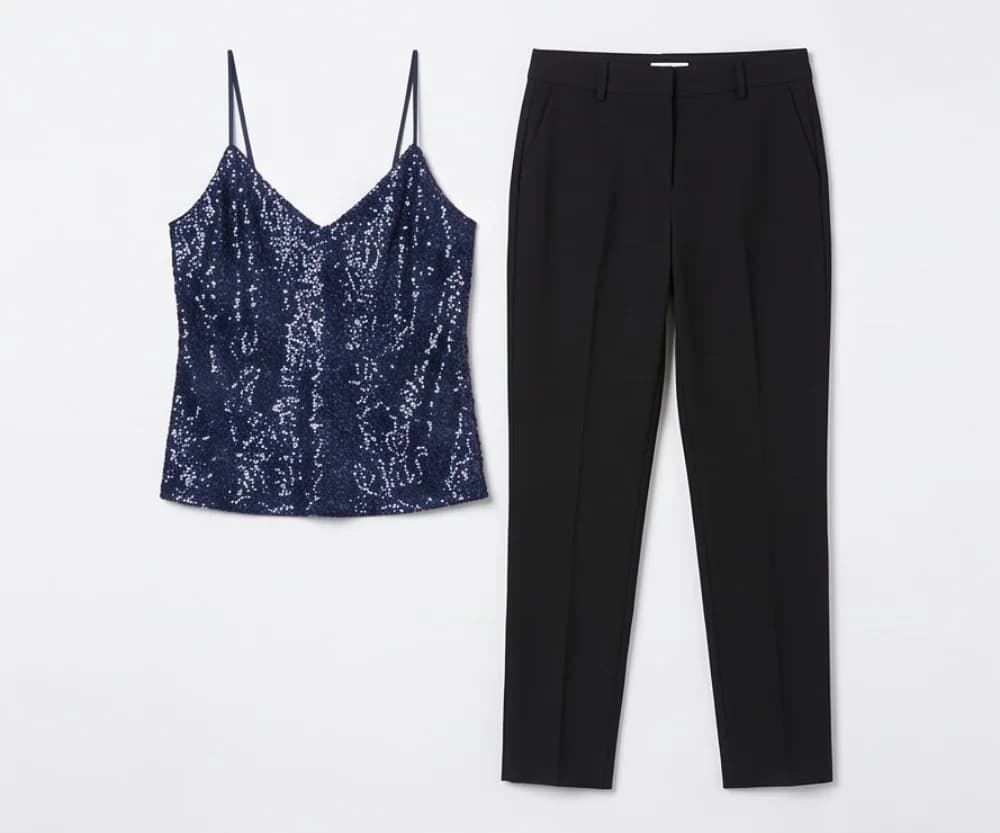
01 Product photo
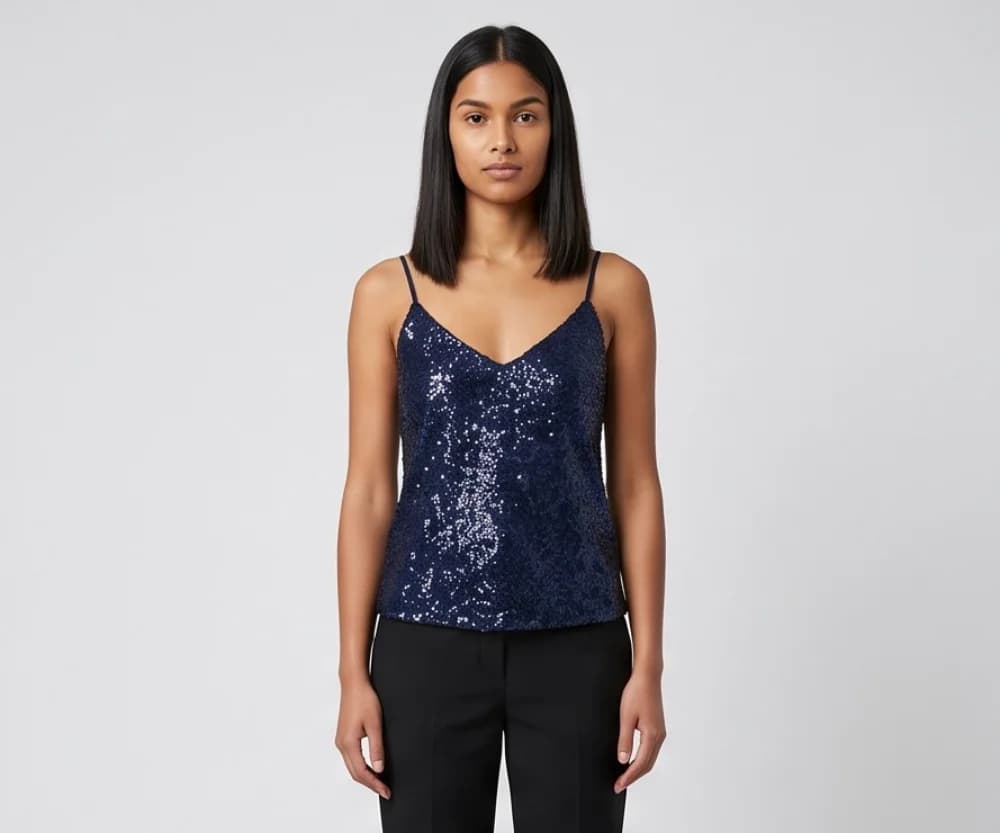
02 On the model

03 Full-size check
10 free photos, no card.
The cost: from $0.33 a day, which is from $9.99/month (Starter plan, billed annually), and as low as $0.25 per photo. At Tryly’s lowest rate, one on-model photo for each of 40 pieces in a shop drop is $10.
Mistakes to avoid when selling on Depop
The short answer
Five common mistakes, each covered by Depop’s own pages: borrowed photos, hidden flaws, missing measurements, untracked shipping and off-platform deals.
- Using a photo that is not yours. Depop’s removal page lists it as a reason listings come down.
- Not showing a flaw, or not saying the item is used. Depop asks for flaws in photos and text, and its prohibited list requires second-hand clothing to be declared as used and cleaned.
- No measurements. Depop’s tips page says sizes vary between brands and asks for exact measurements and fit notes.
- Shipping your own way without tracking, or to an address other than the receipt. No Depop Protection, and no proof if the buyer says it never arrived.
- Taking a payment outside Depop. Depop’s community guidelines say to keep every transaction on the platform; off-platform deals are not protected.
How to sell on Depop: questions sellers ask
How does selling on Depop work?+
You list an item from the app or Depop.com with photos, a description, category, condition, price and shipping option. A buyer pays Depop, including shipping and a marketplace fee. You ship with the prepaid Depop Shipping label or your own tracked label, and the money is paid into your Depop Balance after delivery, with the processing fee already deducted.
Is it free to sell on Depop?+
Listing is free, and Depop charges no selling fee in the UK, US and Australia, though a payment processing fee still comes off each sale (the fees table above has the rates). Sellers elsewhere pay a 10% selling fee plus PayPal’s fee. Fees vary by country and change, so check Depop’s seller fees page before you price.
How much does Depop take from a sale?+
A US seller pays 3.3% plus $0.45 of the item price plus shipping and any tax (about $1.61 on a $30 item with $5 shipping); a UK seller, 2.9% plus £0.30. A sale from a boosted listing adds a 12% boosting fee in the UK and US. Fees are refunded if the sale is.
Who pays for shipping on Depop?+
The buyer, by default. With Depop Shipping the label is prepaid by the buyer and you drop the parcel at USPS (US) or Evri (UK). Ship your own way and you set the shipping price in the listing. US sellers on iOS can take $2, $3 or $4 off shipping or offer it free.
How many photos can you put on a Depop listing?+
Four photos and one video in the app, or eight photos on the web. Depop asks for your own photos of the actual item, showing every angle, the details and any flaws, and removes listings that use stock images.
Do I need a mannequin to sell on Depop?+
No. Depop’s growth guide says modeled shots tend to perform best and flat lays on simple backgrounds also do well, and its stock images policy says to use only photos taken by yourself. So shoot the flat lay, tags and flaws, and wear the piece yourself or ask a friend to for the worn shot. For your own shop or Instagram, Tryly can put the item on a model from your flat photo (10 free photos, no card).
When do you get paid on Depop?+
In the US, the money reaches your Depop Balance two business days after delivery or ten business days after the sale, whichever is first, and you withdraw it to your bank, which can take up to five days. In the UK it transfers automatically on the same timings with Depop Shipping, or ten business days after delivery with your own shipping. Add a bank account first; UK payouts also need your ID uploaded, and US sellers may be asked to verify.
Written by
Elena Varga
Head of Content, Tryly Academy
Former e-commerce photo producer who ran catalogue shoots for fashion labels for over a decade. Writes the Academy’s guides.
- 11 years in fashion e-commerce
- 1,200+ catalogue shoots produced
Expert review
Sofia Moretti
Fashion photographer · Expert reviewer
Has shot campaigns and on-model e-commerce for fashion brands for 14 years. Reviews every Academy article for accuracy.
- 14 years in fashion photography
- Campaign and catalogue work across Europe
How we work: every Academy article is written by a specialist, reviewed by a working fashion photographer, and re-checked against its sources when prices or rules change.