Guide
How to sell on Poshmark: listing, cover shots, shipping and fees
How to sell on Poshmark, start to finish, for a new closet or a reseller who wants to sell faster: the listing form field by field, the cover shot, sharing and offers, the prepaid label, and what Poshmark keeps, each from Poshmark’s own help pages.

 By Elena Varga
 · Reviewed by Sofia Moretti |Fact-checked|13 min read
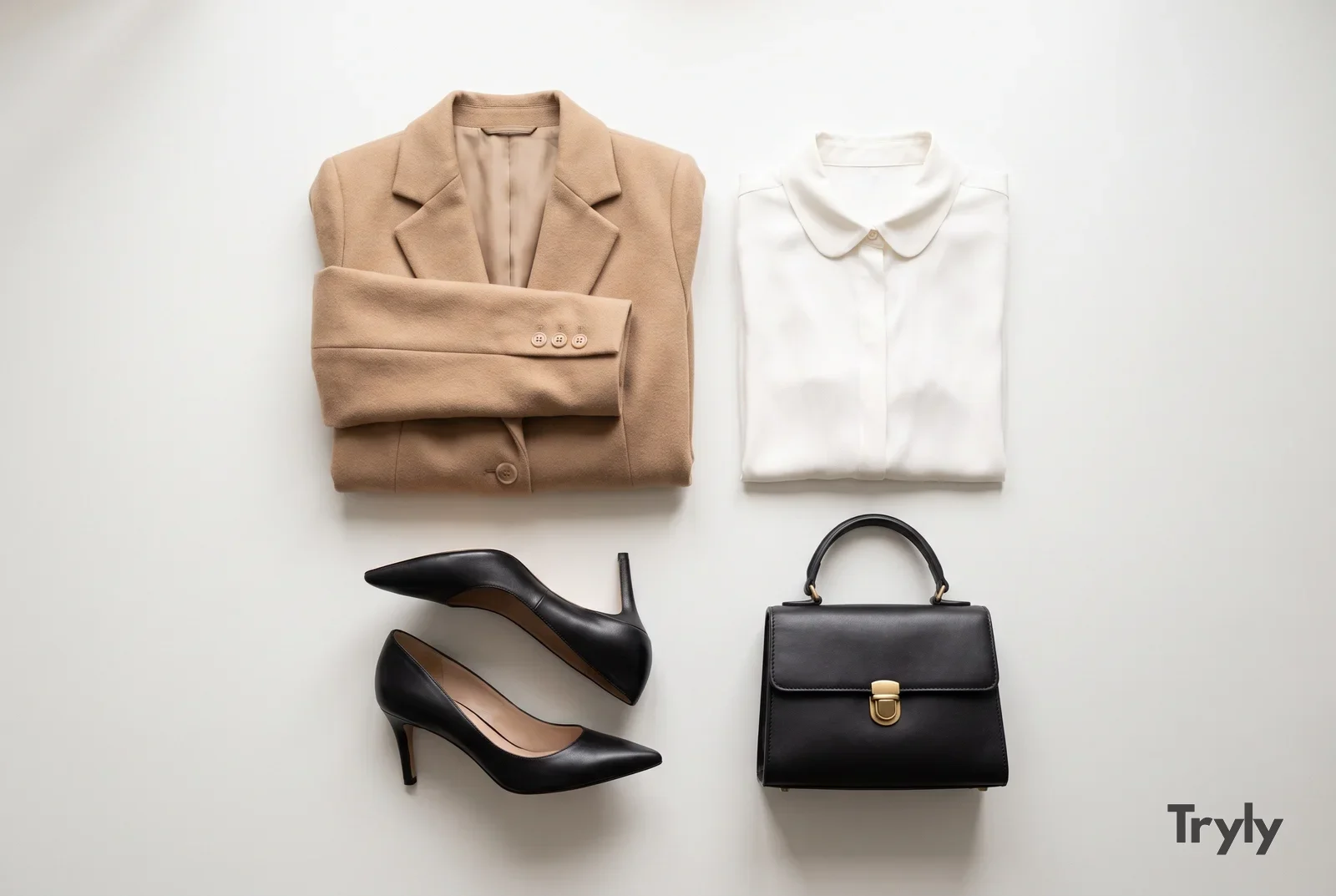
Key takeaways
- 1Poshmark keeps $2.95 on sales under $15 and 20% on sales of $15 or more. The buyer pays a flat $6.49 for shipping, and Poshmark emails you the prepaid label.
- 2The cover shot is the first photo buyers see. Follow Poshmark’s 1000 × 1000 pixel tip, light the item evenly and leave margin on every side.
- 3Sales come from the social tools: sharing, Posh Parties, Offers to Likers (at least 10% off) and Bundles. Price with room for that discount.
- 4Buyers want the actual item, its tags and how it looks worn. Keep real photos as the cover and most of the set; an on-model photo made from your flat photo with Tryly is an extra that shows fit.
10 free photos, no card. Photos as low as $0.25 each.
On this page+
How does selling on Poshmark work?
The short answer
Open the app, tap Sell, add up to 16 photos with a cover shot of the real item first, fill in the title, description, category, size and both prices, and list. Then share it, send offers to the people who like it, and when it sells, print the prepaid label Poshmark emails you. The buyer pays $6.49 flat for shipping. Poshmark keeps $2.95 on sales under $15 and 20% on sales of $15 or more, and your money is released when the buyer accepts or within three days of delivery.
That is selling on Poshmark in one paragraph; the sections below give the detail. Every Poshmark number here is a US figure from a Poshmark help page, linked where it appears. Still choosing a platform? Start with where to sell clothes online. Need help with the photos themselves? How to photograph clothes to sell covers the phone setup.
How do you set up a Poshmark closet?
The short answer
Create the account, add a profile picture sized 1000 × 1000 pixels and, on the web, a closet header at 2160 × 1080, save your sizes, follow the brands you sell, and list your first item. Listing is free; Poshmark’s fees come out of the sale price after an item sells.
A closet is what Poshmark calls your shop page. Its getting started page gives those sizes and notes that you must have logged into the app recently before you can list on the web.
Before you list, check Poshmark’s what can I sell page: replicas, used underwear, used makeup and anything USPS will not carry under its labels, such as perfume and nail polish, are not allowed. Poshmark’s seller policy says it is always free to list an item; fees are deducted after it sells.
How to sell clothes on Poshmark, step by step
The short answer
Tap Sell, add up to 16 photos and a video with the cover shot first, then fill the required fields: title, description, category, size, original price and listing price. Poshmark’s own tips: size photos to 1000 × 1000 pixels, and put the brand, style name, category, size and color in an 80-character title.
Poshmark’s How to list page gives the fields and the tips. Its listing video page allows one video per listing, up to 15 seconds long, added after the cover shot. Here is how to fill each field so the listing is found and believed.
| Field | What Poshmark says | What to write |
|---|---|---|
| Photos | Up to 16, sized 1000 × 1000 pixels for optimal quality | Cover shot first, then front, back, tags, fabric, flaws, measurements, worn |
| Title | 80 characters max; brand, style name, category, size and color | “Madewell Perfect Vintage Jean, size 27, medium wash”. No price, no “stunning” |
| Description | Condition, measurements, date codes, fabric content and other keywords | Every flaw named and where it is; pit to pit and length; the fabric from the tag |
| Category and size | Use the standardized size options so the My Size filter finds you | The size on the tag, plus the flat measurements in the description |
| Original price | MSRP, your best estimate, or $0 if unknown | The tag price if you have it; a fair estimate if not |
| Listing price | The Suggested Price tool uses historical selling prices of similar listings | A price with room for a 10% offer below it |
The steps, in order
- Photograph first, list second. Shoot everything in one session by a window before you open the Sell screen. The set is in the next section.
- Tap Sell in the app, or Sell on Poshmark on the web, and add the cover shot first. For a batch, Copy Listing starts a new listing from an old one.
- Title and description. Brand first in the title. Poshmark’s seller policy asks you to describe items truthfully, accurately and completely, including the condition and any flaws. For an older piece, dating it by the label lets you describe its age accurately.
- Size and prices. A standardized size, so the My Size filter shows the listing, and a listing price with room for offers (the math is in the pricing section).
What makes a good Poshmark cover shot?
The short answer
An evenly lit photo of the real item on a white or simple background, styled the same way as the rest of your closet. Poshmark’s How to list page recommends 1000 × 1000 pixels. Keep the whole item centered with margin on every side, so it still reads well however the grid frames it.
Poshmark’s listing photography guide calls the cover shot the first impression of the item, asks for a white or simple background, and asks you to style every item the same way, flat, on a mannequin, hanging or modeled, so the closet looks like one shop. The size tip is on the How to list page.
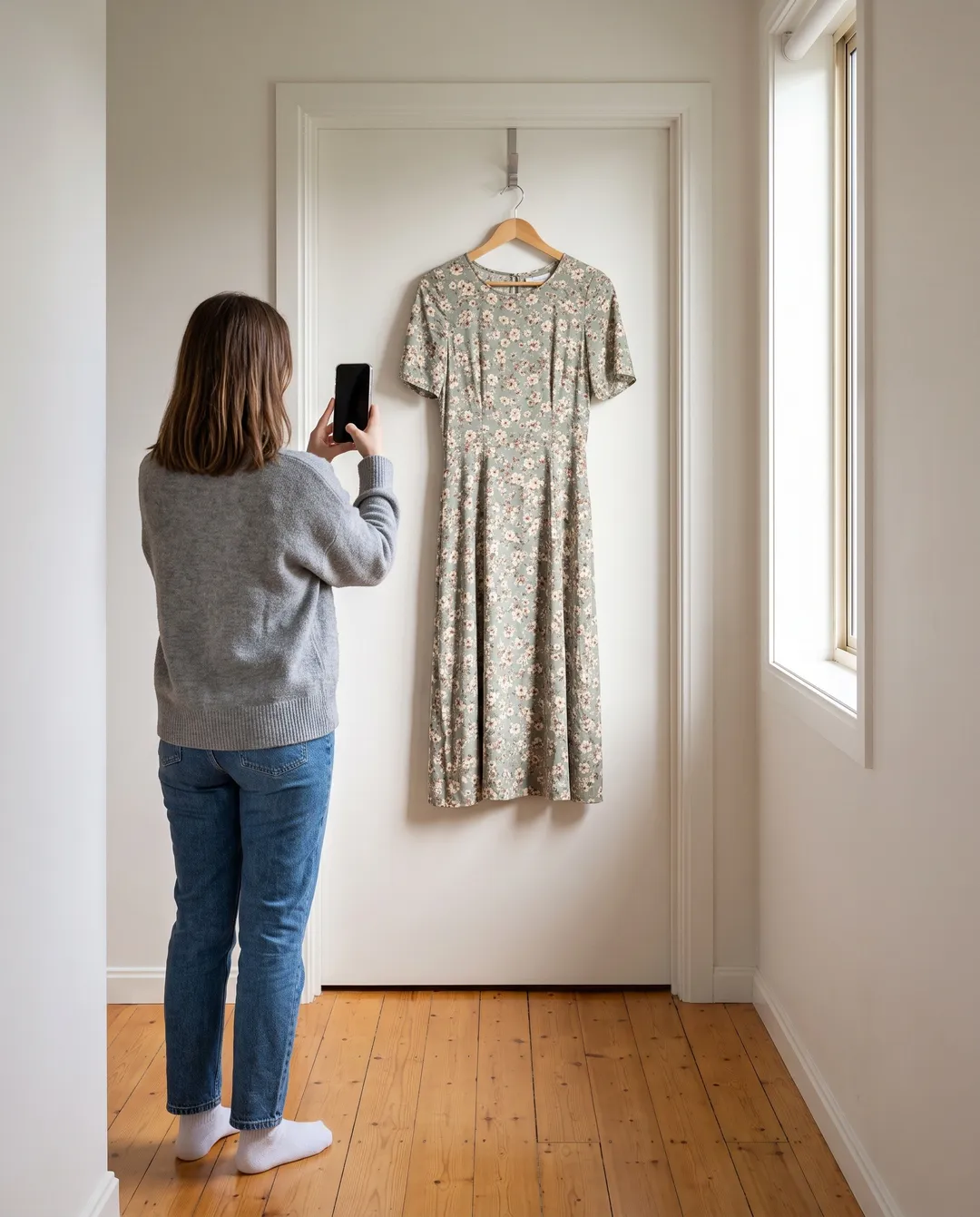
Light and framing
Poshmark’s sell faster page names great lighting first among the ways to make cover shots that sell. A phone by a window is enough; fix a weak cover in the shooting, not in an editing app.
- Light it evenly. Flat on a sheet by the window, or a step forward from the wall, lit from the side so the background is one tone top to bottom. The method is in white background product photography.
- Frame the whole item. Center it with margin on every side, so no hem, sleeve or strap is cut off however the photo is shown.
- No collages, no heavy effects. The seller policy asks for no editing that makes condition hard to judge.
The same photo works on every app; each one’s sizes are in product image size requirements.
The rest of the photo set: what buyers want
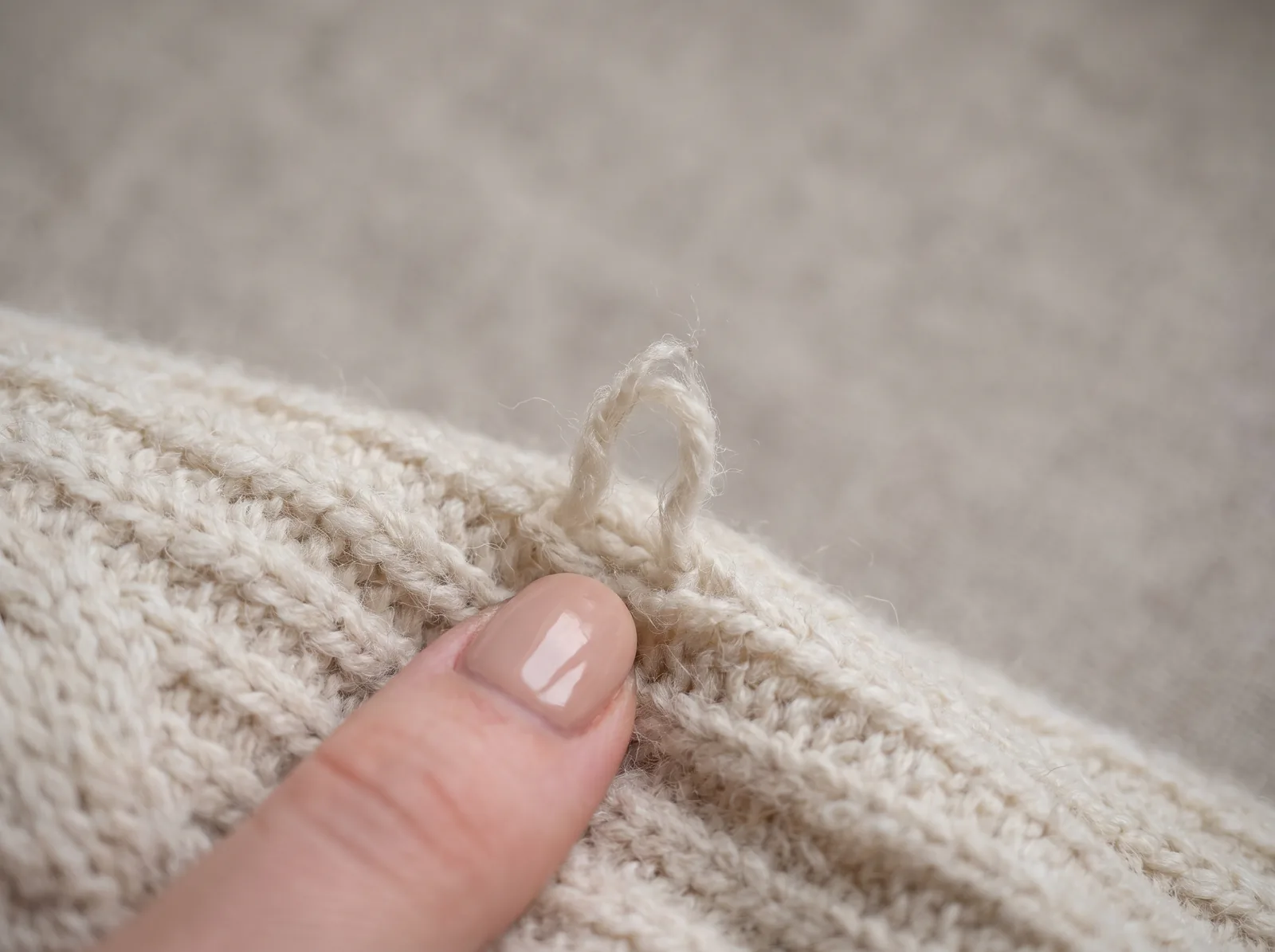
Poshmark’s sell faster page asks for at least four images per item, the more the better, plus extra photos of any damage, excessive wear or stains. Buyers want three things from the set: the actual item, its tags, and how it looks worn.
| Photo | Why it is there |
|---|---|
| Cover shot | The first photo buyers see in search and in your closet. The real item, evenly lit, with margin. |
| Front, full length | The whole item, hem to collar, so nothing is guessed. |
| Back | Buyers ask for it when it is missing. |
| Brand and size tags | Proof of what it is and what size it says. Sharp enough to read. |
| Fabric close-up | Texture, weave, print scale and true color up close. |
| Every flaw | Poshmark asks for extra photos of any damage, excessive wear or stains. Shown first, it is not a return later. |
| Measurements | A tape across the item, so the numbers in the description are believed. |
| Worn | How it hangs on a body: length, drape and fit. |
For a closet that looks consistent, the setup is in flat lay photography. The worn photo is the one that shows fit; adding it without modeling is covered further down.
How do sharing, Posh Parties, offers and Bundles get you sales?
The short answer
Poshmark is a social marketplace: a listing gets seen again each time it is shared, party-shared or discounted. Poshmark’s own sell-faster list beyond photos is to answer comments, share to Posh Parties that match the theme, make Bundles for likers and send offers.
Sharing
Every listing has a Share button: to your followers, to a specific user, or to a party that is running. Share your own closet daily and other sellers’ listings too; that is how you earn the followers who see your shares.
Posh Parties
Poshmark’s Posh Party page calls them real-time virtual shopping events; its getting started page says they run four times a day, seven days a week, with themes and times in your Newsfeed. Share only the listings that fit the theme; custom brands and sizes cannot be shared to parties.
Offer to Likers
A private discount to everyone who liked a listing: at least 10% below the listing price, or 10% below the lowest offer that buyer received in the last 90 days, per Poshmark’s Offer to Likers page. Buyers have 24 hours to respond, and any shipping discount you add comes out of your earnings.
Bundles and Seller Discount
A Posh Bundle lets a buyer take several listings from one closet with one shipping charge, and lets you send that buyer a private offer with a shipping discount. The Seller Discount setting applies a percentage you choose when a buyer takes two or more items.
How do you price items on Poshmark?
The short answer
Start from the Suggested Price tool, which uses what similar listings sold for, and price above the number you will take: an Offer to Likers must be at least 10% below the listing price, a public price drop of at least 10% notifies everyone who liked the item, and Closet Clear Out counts 10% from the item’s lowest price ever.
The drop rules are on Poshmark’s Price Drop and Closet Clear Out pages. Its seller policy lets you price as you like but prohibits price gouging. Do the fee math before you commit, using Poshmark’s fee page:
| Sale price | Poshmark’s fee | You keep |
|---|---|---|
| $8 | $2.95 flat | $5.05 |
| $12 | $2.95 flat | $9.05 |
| $14.99 | $2.95 flat | $12.04 |
| $15 | 20% ($3.00) | $12.00 |
| $25 | 20% ($5.00) | $20.00 |
| $40 | 20% ($8.00) | $32.00 |
| $100 | 20% ($20.00) | $80.00 |
Under $15 the flat $2.95 is a big share: an $8 basic keeps you $5.05 before packaging, so cheap items do better in a Bundle. The buyer’s $6.49 shipping and any sales tax are added to their total; Poshmark’s sales tax page says it collects and remits sales tax itself and deducts none of it from seller earnings.
Cross-listing on eBay as well? How to sell clothes on eBay covers its fees and pricing, so you can compare what each sale leaves you.
How does shipping work on Poshmark?
The short answer
The buyer pays a flat $6.49. Poshmark emails you a prepaid USPS Ground Advantage label, or a QR code for the post office. Pack the item in a non-branded box or a free Ground Advantage box, then drop it off or schedule a pickup. One label covers up to 5 pounds; a heavier package needs an upgraded label, paid from your earnings.
Poshmark calls this system Posh Post; the figures are from its shipping rates and Posh Post pages. A Bundle ships under one $6.49 fee while the package stays under 5 pounds; overweight costs are the seller’s.
| Package weight | Label upgrade fee for the seller |
|---|---|
| Up to 5 pounds | Free (the standard label) |
| 5.01–10 pounds | $5.00 |
| 10.01–15 pounds | $10.00 |
| Over 15 pounds | An additional label, with a separate fee |
The tiers are from Poshmark’s overweight label page: fees come out of your earnings automatically, and labels support at most 15 pounds. Weigh boots and coats before you accept a Bundle offer. A light poly mailer helps a bundle stay under the limit; the cheapest way to ship clothes compares mailers by weight.
From sale to drop-off
- Get the label. Per How to ship a sale, it arrives by email as a PDF; if not, request a new one from the order, as a label or a QR code.
- Pack it. A USPS Ground Advantage box, or any non-branded box or envelope with old labels removed, up to 108 inches of combined length and girth per the package dimensions page. The How to ship a sale page warns that USPS may refuse Priority Mail packaging on these shipments and charges a $5 fee for it, deducted from your balance, so do not reuse those boxes.
- Ship within two days. Most sellers do, and Poshmark may cancel an order still unshipped on the 14th day.
- Use Poshmark’s label only. Its tracking number is tied to the order, and a package lost in transit is not reimbursed if its label was not used.
What are Poshmark’s fees, and when do you get paid?
The short answer
The commission above ($2.95 under $15, 20% from $15) is the only selling fee. Funds are released when the buyer accepts the order or within three days of delivery. You redeem them by direct deposit (no fee, 2–3 business days), Instant Transfer ($2, 30 minutes or less), PayPal or Venmo ($0.35, 30 minutes or less) or a mailed check (no fee, 2 weeks).
The commission is the only fee on Poshmark’s fee page; the page adds that sellers located in Texas also have a Texas Seller Fee Tax deducted from earnings. Fees change, so check that page before you price. The when do I get paid page says the money reaches your Poshmark account within three days of delivery. The payout fees and times above are from the redemption options page, which says the name on your bank or payment account should match the legal name or business on your Poshmark account (Seller KYC Info). Set that up before your first sale.
Posh Protect, from the seller’s side
Poshmark’s Posh Protect page holds the buyer’s payment until delivery, then asks the buyer to accept the order. They have three days to open a case, for example for undisclosed damage or an item not as described. The return policy says all sales are final otherwise: no returns for fit, a change of mind or a late delivery. The exception is Worry-Free Returns, an optional protection a buyer can add at checkout, which allows a return within 7 days of delivery for fit or a change of mind. If the item was accurately described, a case is denied and your earnings are released.
So photograph and describe every flaw, every time. Poshmark’s Posh Protect page adds that orders over $400 need a signature on delivery.
How do you show a Poshmark item on a model without modeling it?
The short answer
Photograph the real item flat or on a hanger, upload that photo to Tryly, choose a model, and add the on-model photo to the listing as an extra. Keep your own photos of the item and its tags as the cover shot and most of the set.
Poshmark’s own sell faster page lists lighting, modeling and styling as the ways to make cover shots and photos that sell. The catch: modeling every item yourself takes time, shows your face and only works in your size. And shoppers still want the real item in the photos, and to see how it fits.
 Before
 After
AfterWith Tryly, you photograph the item on a clean background with your phone, upload it, choose who wears it, the pose and the background, and download the photo about 15 seconds later. Choose from 500+ models, or your own model or yourself, and keep one model across the whole closet, so every item is styled the same way, as Poshmark’s photography guide suggests. One credit is one photo.
To use it well on Poshmark:
- Your photo of the actual item is the cover shot. Poshmark’s seller policy asks for your original photos, with the item clearly represented in the main photo. The on-model photo goes further down the set, after the tags.
- Keep the tags, the flaws and the measurements in the photos. The on-model photo answers “how does it fit”, not “what condition is it in”.
- Compare it with the item on your table: print, logo, color, length and buttons.
The test that matters
Try it on your hardest garment first.
Sellers judge an AI photo tool on the piece most likely to go wrong: a print, a logo, sheer fabric or a detail that has to sit exactly right. Check the result at full size before you publish it. Here: a charcoal hoodie with a large white printed logo, photographed flat beside a pair of light-wash jeans.
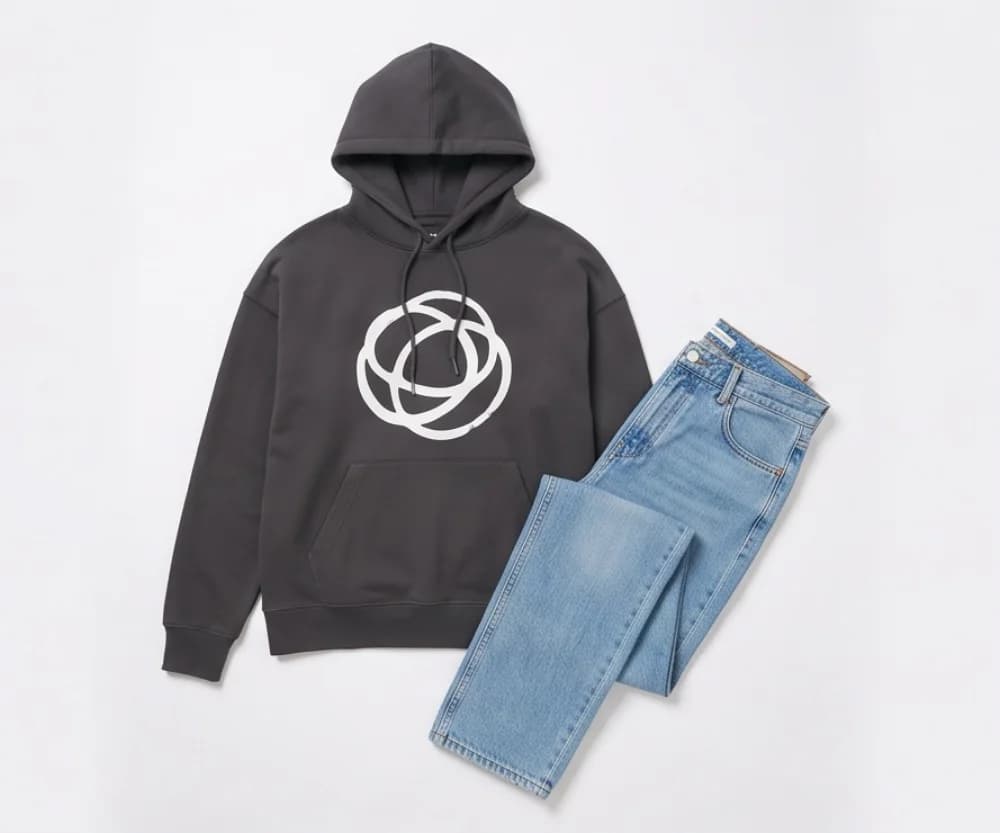
01 Product photo
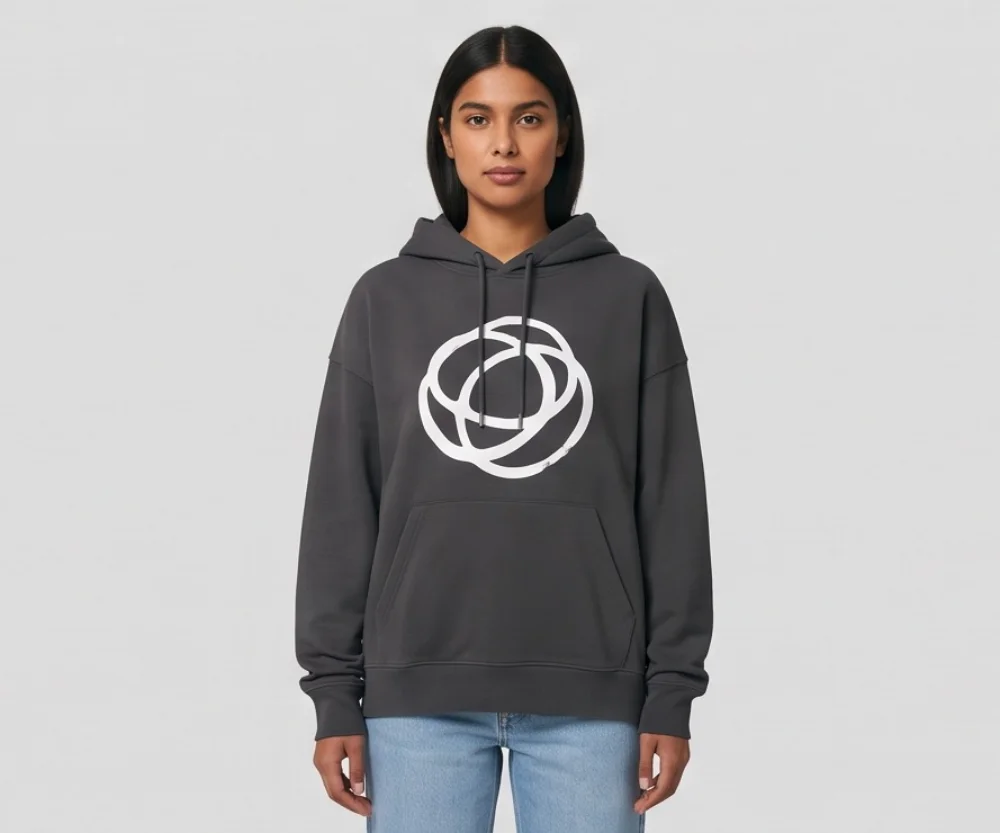
02 On the model
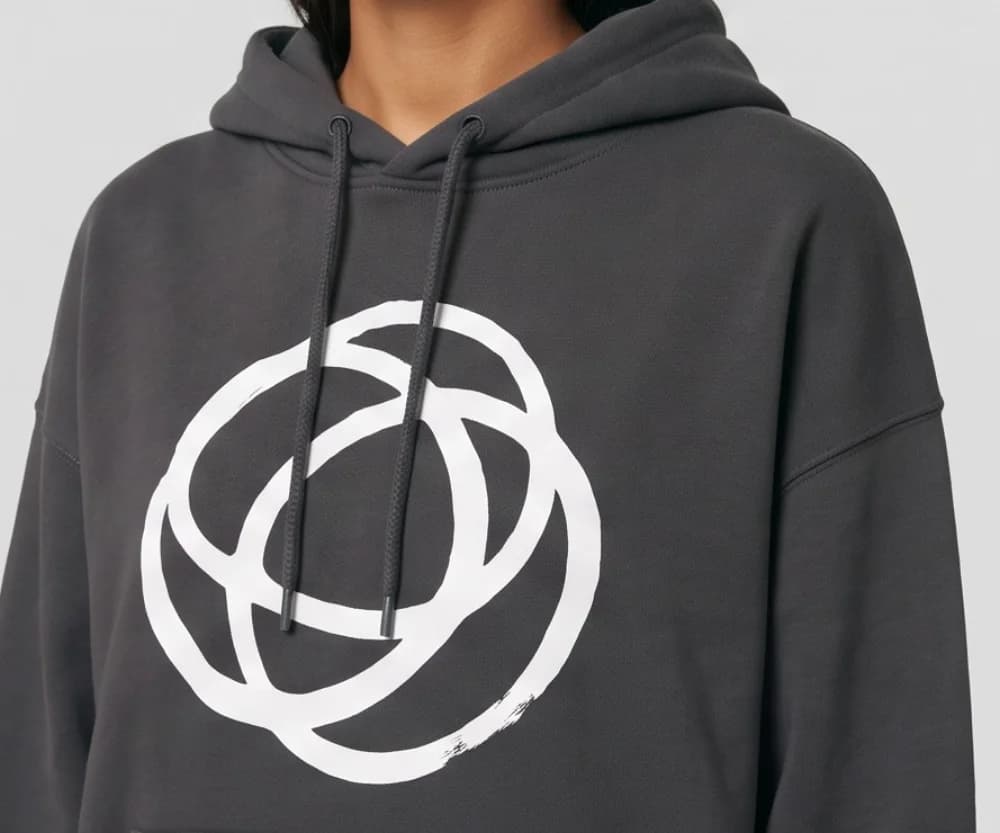
03 Full-size check
10 free photos, no card.
Photos made on a paid plan can be used on your store, in ads and on social media. Plans start from $9.99/month (Starter plan, billed annually), which is from $0.33 a day, and photos cost as low as $0.25 each; at Tryly’s lowest rate, a closet of 100 items costs $25 to model. The same flat photo works on Depop and Mercari too, so shoot once and list everywhere.
Poshmark tips: the most common selling mistakes
The short answer
A dim or badly framed cover shot, too few photos, hidden flaws, missing measurements, a price with no room for offers, the wrong box or label, and taking the sale off the platform.
| Mistake | Fix |
|---|---|
| Item cut off at the edges. | Center it with margin on every side. |
| Uneven or dim light. | Shoot by a window, lit from the side, so the background is one tone. |
| One or two photos. | Poshmark asks for at least four; post the full set with tags and flaws. |
| Flaws left out of the photos. | A buyer has three days to open a case for undisclosed damage. Photograph every flaw first. |
| No measurements. | Measure flat and put the numbers in the description, with a photo of the tape. |
| No room for offers in the price. | Offers to likers must be at least 10% below the listing price. Price with that in mind. |
| Shipping with your own label or in a Priority Mail box. | Use the Poshmark label in a non-branded or USPS Ground Advantage box. |
| Taking the sale off Poshmark. | Not allowed, and Posh Protect covers neither side once any part moves off the platform. |
How to sell on Poshmark: questions sellers ask
How much does Poshmark take from a sale?+
Poshmark’s fee page: a flat $2.95 commission on sales under $15, and 20% on sales of $15 or more, so you keep 80%. Sellers located in Texas also have a Texas Seller Fee Tax deducted from earnings. The buyer pays the $6.49 shipping fee and any sales tax on top, so neither comes out of your earnings.
Is it free to sell on Poshmark?+
Listing is free: Poshmark’s seller policy says “It’s always free to list an item for sale on Poshmark.” When an item sells, Poshmark takes its commission. Beyond that, the deductions its help pages name are ones you choose or cause: a shipping discount on an offer, an overweight or extra label, USPS’s $5 fee for shipping in Priority Mail packaging, or a paid payout option.
How does shipping work on Poshmark?+
The buyer pays a flat $6.49. When an item sells, Poshmark emails you a prepaid USPS Ground Advantage label, or you can get a QR code instead. Pack the item in a non-branded box or a free Ground Advantage box and drop it off or schedule a pickup. One label covers up to 5 pounds; a heavier package needs an upgraded label paid from your earnings.
How many photos can you post on Poshmark, and what size?+
Up to 16 photos and one video per listing. Poshmark’s How to list page recommends 1000 × 1000 pixels. Keep the whole item centered with margin on every side, so the cover shot still reads well however the grid frames it. Poshmark’s help center asks for at least four photos per item, plus extra photos of any damage, wear or stains.
Can I use an on-model photo in a Poshmark listing?+
Yes, as an extra photo. Poshmark’s seller policy asks for your original photos, with the item clearly represented in the main photo. So keep your own photo of the real item as the cover shot, add the on-model photo made from it with Tryly further down the set. Try it with 10 free photos, no card.
When does Poshmark pay you?+
After delivery, when the buyer accepts the order or automatically within three days. You then redeem the balance by direct deposit (no fee), Instant Transfer ($2), PayPal or Venmo ($0.35) or a mailed check (no fee).
How do you sell faster on Poshmark?+
Poshmark’s own list: cover shots and photos with good lighting, modeling and/or styling; at least four photos per item; a thorough description with condition, measurements and material; answer comments; share to Posh Parties that match the theme; and make Bundles and send offers to the people who liked your items.
Sources: Poshmark fees, shipping rates, overweight labels, how to ship, how to list, listing video, what helps a listing sell, Offer to Likers, Bundles, getting paid, Posh Protect, seller policy and listing photography guide. These pages change; follow the links if a number matters to you.
Written by
Elena Varga
Head of Content, Tryly Academy
Former e-commerce photo producer who ran catalogue shoots for fashion labels for over a decade. Writes the Academy’s guides.
- 11 years in fashion e-commerce
- 1,200+ catalogue shoots produced
Expert review
Sofia Moretti
Fashion photographer · Expert reviewer
Has shot campaigns and on-model e-commerce for fashion brands for 14 years. Reviews every Academy article for accuracy.
- 14 years in fashion photography
- Campaign and catalogue work across Europe
How we work: every Academy article is written by a specialist, reviewed by a working fashion photographer, and re-checked against its sources when prices or rules change.